How to Choose a News App in 2026: Complete Buyer's Guide
Choosing a news app in 2026 feels overwhelming. With hundreds of options promising to keep you informed, how do you know which one is right for you? Should you prioritize speed, depth, privacy, or features? Is a free app enough, or should you pay for premium?
This complete buyer's guide cuts through the confusion. Whether you're a busy professional who needs 60-second briefings, a student on a budget, a traveler needing offline access, or a news enthusiast who wants comprehensive coverage, this guide will help you find your perfect match.
Disclaimer: This guide provides general educational information to help readers make informed decisions about news apps. All comparisons are based on publicly available information as of January 2026 and are provided for informational purposes only. Features, pricing, and app characteristics may change over time. This content does not constitute professional advice, endorsements, or recommendations. Individual experiences may vary. We encourage readers to verify current features, pricing, and terms directly with each app provider before making decisions. App availability and features may vary by region and platform.
Quick Start: What Type of News Reader Are You?
Before diving into features and comparisons, let's identify your news consumption style. Answer these five questions to discover your news reader type:
Question 1: How much time do you have for news each day?
A) Less than 5 minutes - You need ultra-efficient briefings
B) 5-15 minutes - You want quick but comprehensive updates
C) 15-30 minutes - You enjoy reading several articles
D) 30+ minutes - You're a news enthusiast who loves depth
Question 2: What matters most to you?
A) Speed and efficiency - Get informed fast
B) Comprehensive coverage - Don't miss anything important
C) Ad-free experience - Clean, distraction-free reading
D) Privacy protection - Minimal tracking and data collection
Question 3: Where do you read news?
A) During commute - Need offline access
B) At my desk - Desktop/laptop primarily
C) On my phone - Mobile-first
D) Everywhere - Need cross-platform sync
Question 4: What's your budget?
A) Free only - Not willing to pay
B) Free preferred, might pay - Open to premium if worth it
C) Happy to pay - Quality matters more than cost
D) Depends on value - Need to see clear benefits
Question 5: What's your primary interest?
A) Quick daily updates - Just the essentials
B) Local + global news - Geographic balance
C) Deep analysis - Context and investigation
D) Specific topics - Industry or niche focus
Your Results:
Mostly A's: The Efficiency Seeker
You need: AI-powered summaries, 60-second briefings, mobile-optimized
Best match: GeoBarta, SmartNews
Mostly B's: The Balanced Reader
You need: Mix of quick updates and depth, geographic organization
Best match: GeoBarta Pro, Google News
Mostly C's: The Quality Enthusiast
You need: Premium content, ad-free experience, in-depth journalism
Best match: Apple News+, New York Times, GeoBarta Pro
Mostly D's: The Specialist
You need: Customizable sources, RSS feeds, topic-specific content
Best match: Feedly, specialized newsletters, GeoBarta Pro
Understanding Your News App Needs
The Three Core Questions
Before comparing specific apps, answer these fundamental questions:
1. What's Your Primary Goal?
Stay Generally Informed:
You want to know what's happening in the world without becoming a news expert. You need efficient daily briefings that cover major stories across topics.
Professional Knowledge:
Your work requires staying current on specific industries, markets, or topics. You need reliable sources, deep coverage, and the ability to reference past stories.
Civic Engagement:
You want to be an informed citizen who understands local and national issues. You need balanced coverage, local news, and context for complex topics.
Personal Interest:
You enjoy following news as a hobby. You have time to read multiple articles and appreciate good journalism.
2. What's Your Lifestyle?
The Busy Professional:
- Limited time (5 minutes or less)
- Needs mobile access
- Values efficiency over depth
- Wants to sound informed in conversations
The Commuter:
- Reads during transit
- Needs offline access
- Prefers audio or quick-read formats
- Has 10-20 minutes daily
The Student:
- Budget-conscious
- Needs credible sources for discussions
- Wants quick updates between classes
- Values free options
The Traveler:
- Frequently changes locations
- Needs offline capabilities
- Wants local + home country news
- Values geographic organization
The Remote Worker:
- Flexible schedule
- Reads at desk and mobile
- Needs professional news
- Values cross-platform sync
The Retiree:
- Has more time for news
- Enjoys in-depth reading
- Values quality journalism
- Comfortable with subscriptions
3. What Are Your Deal-Breakers?
Identify what you absolutely need and what you won't tolerate:
Must-Haves:
- Completely ad-free
- Works offline
- Free (no subscription)
- Specific platform (iOS/Android/Web)
- Privacy-focused
- AI summarization
- Local news coverage
- Multiple languages
- Email digest option
Deal-Breakers:
- Too many ads
- Requires subscription
- Tracks my data
- Takes too long to read
- Only available on one platform
- No offline mode
- Poor source quality
The News App Decision Framework
Step 1: Choose Your Primary Feature Priority
Priority A: Speed & Efficiency
What This Means:
You want to stay informed in the shortest time possible. Every minute counts, and you need maximum information in minimum time.
Key Features to Look For:
- AI-powered summaries
- 60-second briefings
- Bullet-point format
- Quick-scan headlines
- Mobile-optimized
Best Apps for This:
- GeoBarta - 60-second AI briefings, all levels
- SmartNews - Quick updates, fast interface
- Apple News - Today tab for quick overview
When to Choose This:
If you answered "less than 5 minutes" to time availability, this is your priority.
Priority B: Comprehensive Coverage
What This Means:
You want to know everything important that's happening. You're willing to spend time reading to get the complete picture.
Key Features to Look For:
- Massive source library
- Full articles (not just summaries)
- Multiple perspectives
- Deep topic coverage
- Search functionality
Best Apps for This:
- Google News - Thousands of sources
- Feedly - Custom RSS feeds
- Apple News - Curated comprehensive coverage
When to Choose This:
If you answered "30+ minutes" to time availability and want depth over speed.
Priority C: Ad-Free Experience
What This Means:
Ads distract you and ruin the reading experience. You want clean, focused news consumption without interruptions.
Key Features to Look For:
- Zero banner ads
- No video ads
- No sponsored content
- Clean interface
- Fast loading (no ad scripts)
Best Apps for This:
- GeoBarta - Completely ad-free (Free and Pro)
- Ground News - Ad-free all tiers
- Feedly - Ad-free experience
- Apple News+ - Ad-free with subscription
When to Choose This:
If ads significantly impact your reading experience and focus.
Priority D: Privacy Protection
What This Means:
You're concerned about data collection, tracking, and how your information is used. Privacy is non-negotiable.
Key Features to Look For:
- No tracking for ads
- Clear privacy policy
- Minimal data collection
- No selling user data
- GDPR/CCPA compliant
Best Apps for This:
- Apple News - Strong privacy protections
- GeoBarta - Privacy-focused, no tracking
- Feedly - Minimal data collection
When to Choose This:
If privacy concerns are a top priority in your digital life.
Priority E: Geographic Organization
What This Means:
You want news organized from global to local levels. You care about what's happening in your community as much as world events.
Key Features to Look For:
- Global, regional, national, local levels
- Location-based news
- Easy switching between levels
- Local news sources included
Best Apps for This:
- GeoBarta - Unique 4-level organization (Global → Regional → National → Local)
- Google News - Local section available
- SmartNews - Local news focus
When to Choose This:
If you want balanced coverage from worldwide to your neighborhood.
Step 2: Match Your Lifestyle to App Features
For Busy Professionals
Your Needs:
- 5 minutes or less daily
- Mobile access during commute
- Sound informed in meetings
- Professional credibility
Recommended Setup:
- Primary: GeoBarta (60-second briefings)
- Supplement: Industry-specific newsletter
- Backup: Push notifications for breaking news
Why This Works:
GeoBarta's AI-powered briefings give you comprehensive coverage in 60 seconds. You get global, national, and local news (Pro: all 4 levels) without scrolling through dozens of articles. Add one industry newsletter for professional depth.
Cost: Free (GeoBarta Free) or $4.99/month (GeoBarta Pro for unlimited briefings)
For Students
Your Needs:
- Budget-friendly (ideally free)
- Quick updates between classes
- Credible sources for discussions
- Mobile access
Recommended Setup:
- Primary: GeoBarta Free (unlimited briefings, Global + Regional + National + Local)
- Alternative: Google News (free, unlimited)
- For Research: University library news databases
Why This Works:
GeoBarta Free gives you one comprehensive briefing daily covering major stories. Google News provides unlimited free access when you need more. Both offer credible sources you can cite in discussions.
Cost: Free
For Travelers
Your Needs:
- Offline access (flights, poor connectivity)
- Local + home country news
- Geographic flexibility
- Multiple languages helpful
Recommended Setup:
- Primary: GeoBarta Pro (offline mode, all 4 geographic levels, multilingual)
- Backup: BBC News (international coverage, offline)
- Local: Download local news apps at destination
Why This Works:
GeoBarta Pro offers 7-day offline access (Free) or full offline mode (Pro), geographic organization to balance local and home news, and multilingual support (English, Hindi, Bengali, Spanish, French on Pro). Download briefings on Wi-Fi, read offline anywhere.
Cost: $4.99/month (GeoBarta Pro) - worth it for frequent travelers
Learn More: Complete guide to staying informed while traveling
For News Enthusiasts
Your Needs:
- Comprehensive coverage
- Multiple sources
- Time to read deeply
- Quality journalism
Recommended Setup:
- Primary: Google News (massive source library)
- Premium: New York Times or Washington Post subscription
- Aggregator: Feedly Pro (custom RSS feeds)
- Quick Updates: GeoBarta (efficient daily briefing)
Why This Works:
Google News gives you access to thousands of sources. Premium subscriptions provide in-depth journalism. Feedly lets you customize exactly which sources you follow. GeoBarta provides efficient daily overview.
Cost: $17-30/month for premium subscriptions, plus optional Feedly Pro ($8/month)
For Privacy-Conscious Users
Your Needs:
- Minimal tracking
- No data selling
- Clear privacy policies
- Secure experience
Recommended Setup:
- Primary: Apple News (strong privacy) or GeoBarta (privacy-focused)
- Avoid: Apps with heavy ad tracking
- Settings: Disable personalization features that require data collection
Why This Works:
Apple News has strong privacy protections built into iOS. GeoBarta doesn't track for advertising and has clear privacy policies. Both minimize data collection.
Cost: Free (Apple News, GeoBarta Free) or $4.99-12.99/month for premium
For Remote Workers
Your Needs:
- Professional news
- Flexible reading times
- Cross-platform sync
- Mix of quick and deep reading
Recommended Setup:
- Morning: GeoBarta briefing (5 minutes)
- Midday: Google News or Feedly (15 minutes)
- Deep Dive: Premium subscription for weekend reading
- Industry: Specialized newsletters
Why This Works:
Start with efficient briefing, dive deeper when you have time, maintain professional knowledge with industry sources. Cross-platform sync keeps you updated on all devices.
Cost: $5-20/month depending on premium choices
Feature-by-Feature Comparison
AI Summarization
What It Is:
Artificial intelligence reads multiple articles and creates concise summaries, saving you time while preserving key facts.
Who Needs It:
Anyone with limited time who wants comprehensive coverage efficiently.
Apps with AI Summarization:
- GeoBarta: ✅ Yes (Free and Pro) - 60-second briefings
- Google News: ❌ No (personalization only, not summaries)
- Apple News: ❌ No
- Feedly: ⚠️ Pro only (AI research assistant)
- SmartNews: ❌ No
Best Choice: GeoBarta (included in free plan)
Offline Access
What It Is:
Download news content when you have Wi-Fi, read without internet connection later.
Who Needs It:
Travelers, commuters in areas with poor connectivity, anyone wanting to save data.
Apps with Offline Mode:
- GeoBarta: ✅ Yes (7 days Free, full offline Pro)
- Apple News: ✅ Yes (automatic caching)
- Feedly: ✅ Yes (saved articles)
- Google News: ⚠️ Limited (some caching)
- SmartNews: ✅ Yes (offline reading)
Best Choice: GeoBarta Pro (full offline mode) or Apple News
Learn More: How to stay informed while traveling
Geographic Organization
What It Is:
News organized by geographic levels (Global → Regional → National → Local) so you see relevant coverage at each scale.
Who Needs It:
Anyone who wants balanced coverage from worldwide to neighborhood, travelers, people who care about local news.
Apps with Geographic Organization:
- GeoBarta: ✅ Yes (4 levels: Global, Regional, National, Local)
- Google News: ⚠️ Limited (Local section available)
- SmartNews: ⚠️ Limited (Local focus)
- Apple News: ❌ No (topic-based only)
- Feedly: ❌ No (custom sources only)
Best Choice: GeoBarta (unique 4-level system)
Multilingual Support
What It Is:
Read news in multiple languages, switch between languages easily.
Who Needs It:
Multilingual readers, travelers, people who want news in their native language.
Apps with Multilingual Support:
- GeoBarta: ✅ Yes (English Free, English/Hindi/Bengali/Spanish/French Pro)
- BBC News: ✅ Yes (multiple languages)
- Google News: ⚠️ Limited (some translation)
- Apple News: ❌ No (English primarily)
- Feedly: ❌ No (depends on sources)
Best Choice: GeoBarta Pro (3 languages) or BBC News
Email Digest
What It Is:
Daily news summary delivered to your inbox, read offline, no app required.
Who Needs It:
Email-first readers, people who want scheduled news delivery, backup access method.
Apps with Email Digest:
- GeoBarta: ✅ Yes (Pro plan, customizable schedule)
- Traditional Newsletters: ✅ Yes (TheSkimm, Morning Brew, etc.)
- Google News: ❌ No
- Apple News: ❌ No
- Feedly: ⚠️ Limited (RSS to email)
Best Choice: GeoBarta Pro or dedicated newsletters
Ad-Free Experience
What It Is:
Zero ads, no sponsored content, clean reading experience.
Who Needs It:
Anyone distracted by ads, people who value focus, professional contexts.
Completely Ad-Free Apps:
- GeoBarta: ✅ Yes (Free and Pro)
- Ground News: ✅ Yes (all tiers)
- Feedly: ✅ Yes (all tiers)
- Apple News+: ✅ Yes (with subscription)
- New York Times: ✅ Yes (with subscription)
Apps with Ads:
- Google News: ❌ Some ads/sponsored content
- SmartNews: ❌ Some ads
- Flipboard: ❌ Some ads
- Apple News Free: ❌ Some ads
Best Free Ad-Free Choice: GeoBarta
History & Search
What It Is:
Access past briefings, search by date/topic/location, reference previous stories.
Who Needs It:
Professionals who need to reference past news, researchers, anyone tracking story developments.
Apps with History:
- GeoBarta: ✅ 7 days (Free), 90 days (Pro) with full search
- Google News: ⚠️ Limited history
- Apple News: ⚠️ Limited history
- Feedly: ✅ Yes (saved items)
- New York Times: ✅ Yes (full archive with subscription)
Best Choice: GeoBarta Pro (90-day searchable history)
Platform Availability
What It Is:
Which devices and operating systems support the app.
Cross-Platform (Web, iOS, Android):
- GeoBarta (web now, native apps coming)
- Google News
- Feedly
- Ground News
iOS/Mac Only:
- Apple News
Mobile-First:
- SmartNews
Best for Cross-Platform: Google News, Feedly, GeoBarta
Price Comparison: Free vs. Paid
Free News Apps (No Cost)
GeoBarta Free:
- Unlimited briefings
- Global + National levels
- English only
- 7-day history
- Ad-free
- Best for: Daily news on a budget
Google News:
- Unlimited articles
- All sources
- Personalization
- Some ads
- Best for: Comprehensive free coverage
SmartNews:
- Unlimited articles
- Breaking news focus
- Some ads
- Best for: Mobile-first breaking news
Apple News (Free Tier):
- Curated stories
- Some ads
- iOS/Mac only
- Best for: Apple users wanting free option
Budget-Friendly Paid Apps ($5-10/month)
GeoBarta Pro ($4.99/month):
- Unlimited briefings
- All 4 geographic levels
- 5 languages (English, Hindi, Bengali, Spanish, French)
- 90-day history
- Email digest
- Full offline mode
- Completely ad-free
- Best value for: Frequent news consumers
Feedly Pro ($6.99/month or $5.99/month annual):
- AI research assistant
- Advanced features
- Integrations
- Best for: Power users and researchers
Ground News Pro ($9.99/year = $0.83/month):
- Full bias analysis
- All features
- Ad-free
- Best for: Media literacy enthusiasts
Premium Apps ($10-20/month)
Apple News+ ($12.99/month):
- 300+ magazines
- Premium newspapers
- Ad-free
- Best for: Magazine readers in Apple ecosystem
New York Times ($17/month):
- All NYT content
- Cooking, games
- Ad-free
- Best for: NYT journalism fans
Washington Post ($12/month):
- All WaPo content
- Ad-free
- Best for: Political news enthusiasts
Value Analysis
Best Overall Value:
GeoBarta Pro at $4.99/month offers the most features per dollar:
- AI summarization (saves 30+ minutes daily = $150+ value in time)
- All geographic levels
- Multilingual support
- 90-day searchable history
- Email digest
- Full offline mode
- Completely ad-free
Time Savings Calculation:
If GeoBarta saves you 30 minutes daily vs. traditional news reading:
- 30 min/day × 30 days = 15 hours/month saved
- At $20/hour value of time = $300/month in time savings
- Cost: $4.99/month
- ROI: 60x return on investment
The Decision Flowchart
Start Here: How much time do you have daily?
Less than 5 minutes:
→ Do you want AI summaries?
→ Yes: GeoBarta (60-second briefings)
→ No: SmartNews (quick headlines)
5-15 minutes:
→ Do you want geographic organization?
→ Yes: GeoBarta Pro (all 4 levels)
→ No: Google News or Apple News
15-30 minutes:
→ Do you want comprehensive coverage?
→ Yes: Google News (thousands of sources)
→ No: Apple News (curated selection)
30+ minutes:
→ Do you want premium journalism?
→ Yes: New York Times or Washington Post subscription
→ No: Google News + Feedly for free depth
Platform Check: What device do you use?
iOS/Mac only:
→ Apple News (native experience)
→ GeoBarta (mobile-optimized web, native app coming)
Android primarily:
→ Google News (native Android)
→ GeoBarta (mobile-optimized web, native app coming)
Cross-platform (multiple devices):
→ GeoBarta (syncs across devices)
→ Google News (available everywhere)
→ Feedly (cross-platform sync)
Budget Check: What can you spend?
$0 (Free only):
→ GeoBarta Free (unlimited briefings, Global + National, ad-free)
→ Google News (unlimited, some ads)
$5-10/month:
→ GeoBarta Pro (best value at $4.99)
→ Feedly Pro (power users)
$10-20/month:
→ Apple News+ (magazine content)
→ Premium newspaper subscriptions
Feature Check: What's your must-have?
Must be ad-free:
→ GeoBarta (Free and Pro)
→ Ground News
→ Feedly
Must work offline:
→ GeoBarta Pro (full offline)
→ Apple News (automatic caching)
Must have AI summaries:
→ GeoBarta (only major app with AI summaries in free plan)
Must have local news:
→ GeoBarta (4-level geographic organization)
→ Google News (local section)
Must be privacy-focused:
→ Apple News (strong privacy)
→ GeoBarta (no tracking)
Common Scenarios: Which App Should You Choose?
Scenario 1: "I'm a busy CEO with 5 minutes for news"
Your Challenge:
You need to stay informed for board meetings and client conversations, but you have almost no time. You can't afford to miss major stories, but you can't spend 30 minutes reading.
Your Solution:
GeoBarta Pro ($4.99/month)
Why:
- 60-second briefings cover everything
- Unlimited briefings (check morning, midday, evening)
- All 4 geographic levels (global business + local context)
- Email digest for backup
- 90-day history to reference past stories
- Completely ad-free (professional appearance)
Your Routine:
- 7:00 AM: 60-second briefing with coffee
- 12:30 PM: Quick update during lunch
- 6:00 PM: Evening recap if needed
- Total time: 3-5 minutes daily
Scenario 2: "I'm a college student on a tight budget"
Your Challenge:
You need credible news sources for class discussions, but you can't afford subscriptions. You're busy with classes and need quick updates between lectures.
Your Solution:
GeoBarta Free + Google News
Why:
- GeoBarta Free: 1 comprehensive briefing daily (ad-free)
- Google News: Unlimited free access when you need more
- Both offer credible sources you can cite
- Mobile-optimized for reading between classes
- Zero cost
Your Routine:
- Morning: GeoBarta briefing (60 seconds)
- Between classes: Google News for specific topics
- Before discussions: Quick fact-check on both
- Total cost: $0
Scenario 3: "I travel internationally for work"
Your Challenge:
You're frequently on planes and in countries with poor connectivity. You need news from both your home country and wherever you're visiting. Data roaming is expensive.
Your Solution:
GeoBarta Pro ($4.99/month)
Why:
- Full offline mode (download on hotel Wi-Fi, read on plane)
- 4-level geographic organization (home + destination news)
- Multilingual support (English, Hindi, Bengali, Spanish, French)
- Email digest (read in airplane mode)
- Works without internet after download
Your Routine:
- Night before flight: Download briefings on hotel Wi-Fi
- During flight: Read offline
- At destination: Switch to local news level
- No data charges, always informed
Learn More: Complete guide to staying informed while traveling
Scenario 4: "I'm a news junkie who loves reading"
Your Challenge:
You have time and interest to read deeply. You want access to thousands of sources, long-form journalism, and the ability to customize your feed.
Your Solution:
Google News + Feedly Pro + Premium Subscription
Why:
- Google News: Massive source library, free
- Feedly Pro: Custom RSS feeds for niche sources
- NYT/WaPo: Premium in-depth journalism
- GeoBarta: Quick daily overview to stay efficient
Your Routine:
- Morning: GeoBarta briefing (5 minutes for overview)
- Midday: Google News (30 minutes)
- Evening: Feedly + premium subscription (1 hour)
- Weekend: Long-form journalism
- Total cost: $25-35/month
Scenario 5: "I'm concerned about privacy and tracking"
Your Challenge:
You don't want news apps tracking your behavior, selling your data, or using your information for targeted advertising. Privacy is non-negotiable.
Your Solution:
Apple News (if iOS) or GeoBarta
Why:
- Apple News: Strong privacy protections, minimal tracking
- GeoBarta: Privacy-focused, no tracking for ads
- Both have clear privacy policies
- Neither sells user data
- Minimal data collection
Your Setup:
- Primary: Apple News or GeoBarta
- Disable: Personalization features that require data
- Use: Privacy-focused browsers
- Avoid: Apps with heavy ad tracking
Scenario 6: "I want to support quality journalism"
Your Challenge:
You believe in paying for good journalism. You want to support news organizations doing important work while still getting efficient daily updates.
Your Solution:
GeoBarta Pro + Premium Newspaper Subscription
Why:
- GeoBarta Pro: Efficient daily briefings ($4.99/month)
- NYT/WaPo/etc: Support investigative journalism ($12-17/month)
- Best of both: Efficiency + depth
- Support: Quality journalism with your dollars
Your Routine:
- Daily: GeoBarta briefing (5 minutes)
- Weekend: Premium subscription deep dives (2 hours)
- Total cost: $17-22/month
Migration Guide: Switching Apps
From Google News to GeoBarta
Why Switch:
You're spending too much time scrolling through Google News and want more efficient news consumption.
What You'll Gain:
- 60-second briefings vs. 30+ minutes scrolling
- AI summaries vs. full articles
- Geographic organization vs. topic-based
- Ad-free experience
What You'll Miss:
- Massive source library
- Deep personalization
- Unlimited free access
How to Switch:
- Try GeoBarta Free for one week
- Compare time spent: GeoBarta (5 min) vs. Google News (30+ min)
- If you like it, upgrade to Pro for all features
- Keep Google News for deep dives on specific topics
Best Approach: Use both - GeoBarta for daily briefings, Google News for deep research
From Apple News to GeoBarta
Why Switch:
You want AI summarization, geographic organization, or cross-platform access.
What You'll Gain:
- AI-powered 60-second briefings
- 4-level geographic organization
- Cross-platform (not just iOS/Mac)
- More affordable ($4.99 vs. $12.99)
What You'll Miss:
- Magazine content (Apple News+)
- Native iOS integration
- Human editorial curation
How to Switch:
- Try GeoBarta alongside Apple News for one week
- See if AI summaries meet your needs
- Decide if you need magazine content
- Cancel Apple News+ if GeoBarta suffices
Best Approach: GeoBarta for daily news, keep Apple News+ only if you read magazines
From Traditional Newspapers to News Apps
Why Switch:
You want more efficient news consumption and broader source diversity.
What You'll Gain:
- Multiple sources vs. single newspaper
- AI summaries vs. full articles
- Mobile access vs. print/desktop
- Time savings (5 min vs. 30+ min)
What You'll Miss:
- Deep investigative journalism
- Specific editorial voice
- Long-form features
How to Switch:
- Start with GeoBarta for daily briefings
- Keep newspaper subscription for weekend reading
- Evaluate after one month
- Decide if you need both or can switch fully
Best Approach: GeoBarta for daily efficiency, newspaper for weekend depth
Frequently Asked Questions
Q: Which news app is completely free with no ads?
A: GeoBarta offers a completely ad-free experience on both its free and paid plans. The free plan includes unlimited briefings covering Global and National news in English. Ground News and Feedly also offer ad-free experiences across all tiers.
Q: What's the best news app for iPhone users?
A: For iPhone users, Apple News provides the best native iOS experience with seamless integration. However, GeoBarta (mobile-optimized web, native app coming) offers AI summarization and geographic organization that Apple News lacks. Many iPhone users use both: Apple News for the native experience and GeoBarta for efficient briefings.
Q: Which news app works best offline?
A: GeoBarta Pro offers full offline mode where you can download briefings and read without internet. The free plan offers 7-day offline access. Apple News also has good offline capabilities with automatic caching of articles.
Q: Can I use multiple news apps?
A: Yes! Many people use a combination: GeoBarta for daily efficient briefings (5 minutes), plus Google News or a premium subscription for deep dives on specific topics (weekends). This gives you efficiency and depth.
Q: Which news app saves the most time?
A: GeoBarta's 60-second AI-powered briefings are the fastest way to stay comprehensively informed. You get global, national, and local news (Pro: all 4 levels) in about one minute, compared to 30-45 minutes with traditional news reading.
Q: Are paid news apps worth it?
A: It depends on your usage. If you check news daily and value time savings, GeoBarta Pro at $4.99/month offers excellent value (saves 30+ minutes daily). If you read magazines, Apple News+ at $12.99/month might be worth it. Premium newspaper subscriptions ($12-17/month) are worth it if you want that specific outlet's journalism.
Q: Which news app is best for Android?
A: Google News offers the best native Android experience. GeoBarta (mobile-optimized web, native Android app coming) provides AI summarization and geographic organization. SmartNews is also popular among Android users for its fast, mobile-first design.
Q: How do I know if a news app is trustworthy?
A: Look for apps that:
- Cite their sources clearly
- Aggregate from reputable outlets (AP, Reuters, major newspapers)
- Have transparent ownership and funding
- Don't make claims about being the "only" reliable source
- Allow you to verify information by linking to original articles
GeoBarta, Google News, Apple News, and other major aggregators all meet these criteria.
Q: Can I get local news on news apps?
A: Yes. GeoBarta offers unique 4-level geographic organization (Global → Regional → National → Local) with dedicated local news coverage. Google News has a local section. SmartNews also focuses on local news. The quality and availability of local news varies by location.
Q: Which news app is best for privacy?
A: Apple News has strong privacy protections built into iOS. GeoBarta is privacy-focused with no tracking for advertising and clear privacy policies. Both minimize data collection compared to apps that rely on behavioral targeting for ads.
Q: Do news apps replace reading full articles?
A: It depends on your needs. AI-powered summaries (like GeoBarta's) are sufficient for staying generally informed and cover key facts accurately. However, for topics you care deeply about, reading full articles provides more context and nuance. Many people use summaries for daily briefings and read full articles on important topics.
Q: Which news app is best for students?
A: GeoBarta Free offers 1 comprehensive daily briefing with credible sources you can cite in discussions, completely ad-free. Google News provides unlimited free access when you need more depth. Both are excellent free options for students.
Q: Can I read news in multiple languages?
A: GeoBarta Pro supports English, Hindi, Bengali, Spanish, and French. BBC News offers multiple languages. Most other major news apps are primarily English-only, though some offer translation features.
Q: Which news app has the best interface?
A: This is subjective, but:
- Most Beautiful: Apple News (native iOS design)
- Cleanest: GeoBarta (minimal, focused)
- Most Customizable: Feedly (power user controls)
- Most Familiar: Google News (standard feed)
Try a few to see which interface you prefer.
Q: How often should I check my news app?
A: For most people, 1-2 times daily is sufficient:
- Morning: Daily briefing (5 minutes)
- Evening: Quick update if needed (2 minutes)
Checking more frequently can lead to information overload and anxiety. Set designated times rather than constantly checking.
Making Your Final Decision
The 7-Day Test
Don't commit immediately. Try this approach:
Week 1: Test Your Top Choice
- Choose the app that best matches your needs
- Use it exclusively for 7 days
- Track: Time spent, satisfaction, information quality
- Note: What you love, what frustrates you
Questions to Ask After 7 Days:
- Am I staying informed?
- Is it saving me time?
- Do I enjoy using it?
- Is it worth the cost (if paid)?
- Am I missing anything important?
Week 2: Compare (Optional)
- Try your second choice for 7 days
- Compare directly to your first choice
- Make final decision
Decision Checklist
Before committing, verify:
Functionality:
- [ ] Works on my devices (iOS/Android/Web)
- [ ] Has my must-have features
- [ ] Doesn't have my deal-breakers
- [ ] Loads quickly and reliably
Content:
- [ ] Covers topics I care about
- [ ] Includes local news (if important to me)
- [ ] Sources are credible and diverse
- [ ] Updates frequently enough
Experience:
- [ ] Interface is intuitive and pleasant
- [ ] Reading experience is comfortable
- [ ] Ad situation is acceptable
- [ ] Privacy policies are clear
Value:
- [ ] Price fits my budget (if paid)
- [ ] Saves me time vs. alternatives
- [ ] Meets my information needs
- [ ] Worth the cost (time or money)
Our Recommendations by User Type
For 90% of People:
GeoBarta (Free to start, Pro if you love it)
- Efficient 60-second briefings
- Geographic organization
- Ad-free experience
- Affordable ($4.99/month for Pro)
For News Enthusiasts:
Google News + Premium Subscription
- Comprehensive free coverage
- Deep journalism from premium outlet
- Unlimited reading time
For Apple Users:
Apple News + GeoBarta
- Apple News for native experience
- GeoBarta for AI summaries and efficiency
For Privacy-Focused:
Apple News or GeoBarta
- Strong privacy protections
- Minimal tracking
- Clear policies
For Budget-Conscious:
GeoBarta Free + Google News
- Both completely free
- Comprehensive coverage
- No subscriptions needed
Conclusion: Your Path to Better News Consumption
Choosing a news app in 2026 doesn't have to be overwhelming. By understanding your needs, priorities, and lifestyle, you can find the perfect match.
Key Takeaways:
✅ Identify your primary need: Speed, depth, privacy, or features
✅ Match your lifestyle: Busy professional, student, traveler, enthusiast
✅ Test before committing: 7-day trial of your top choice
✅ Start simple: One primary app is enough for most people
✅ Upgrade when needed: Free plans are often sufficient
✅ Combine strategically: Use 2-3 apps for different purposes if needed
The Bottom Line:
For most people, GeoBarta offers the best balance of efficiency, features, and value. Start with the free plan (unlimited briefings for Global + National, ad-free) and upgrade to Pro ($4.99/month) if you want all 4 geographic levels (including Regional + Local), multilingual support, and full offline mode.
If you're a news enthusiast who wants comprehensive coverage, Google News provides unlimited free access to thousands of sources.
If you're in the Apple ecosystem and value native integration, Apple News offers a polished experience.
The best news app is the one you'll actually use every day. Choose based on your real needs, not features you think you might want. Start simple, test thoroughly, and adjust as needed.
Ready to make your choice? Try GeoBarta free today—no signup required, completely ad-free, and your first 60-second briefing is waiting. See if efficient news consumption changes how you stay informed.
Image Prompt for This Blog Post
Prompt for AI Image Generation:
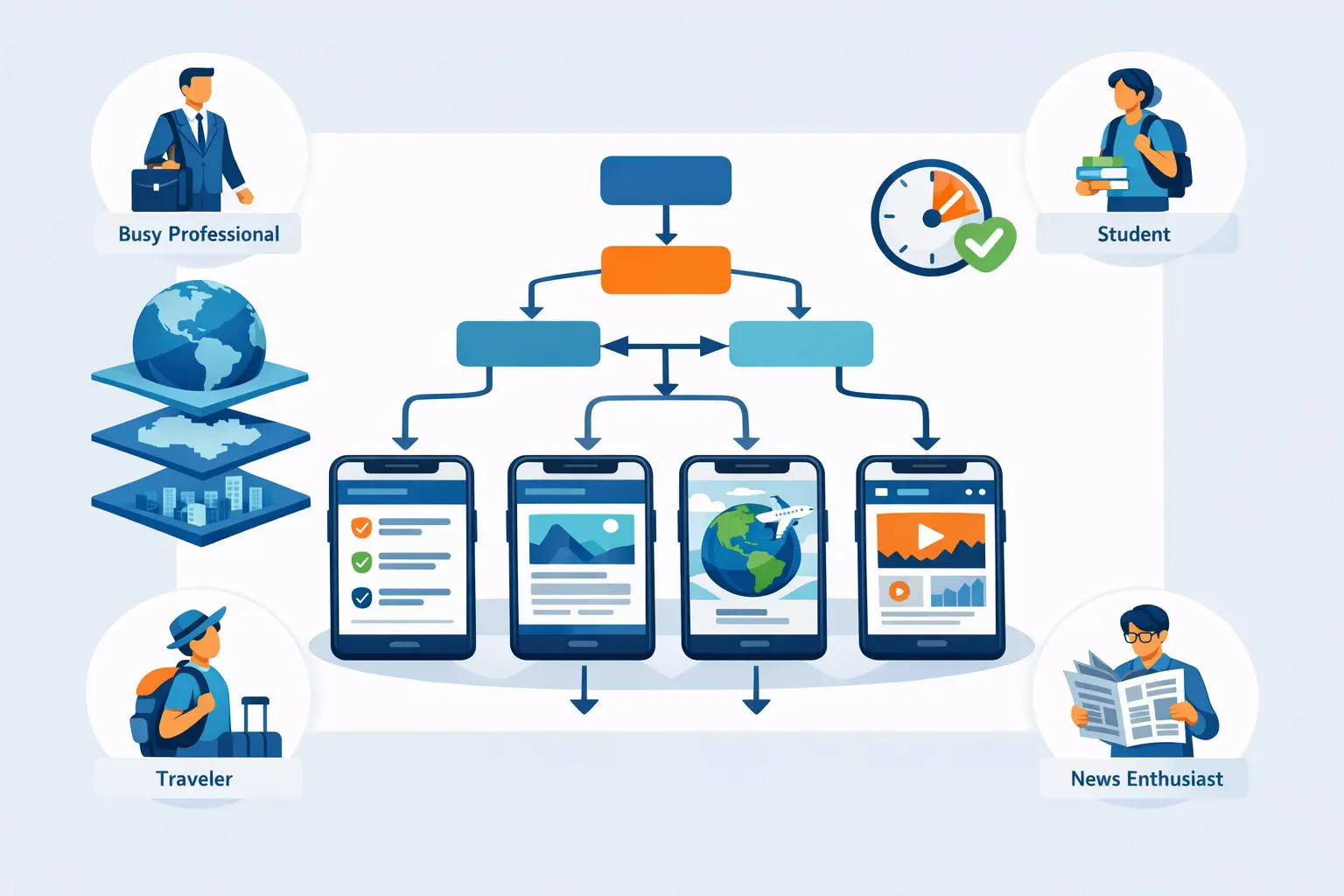
"Create a clean, modern infographic-style illustration showing the news app decision-making process. The image should feature:
MAIN ELEMENTS:
- A decision tree flowchart in the center with 4-5 branching paths
- Icons representing different user types: busy professional with briefcase, student with backpack, traveler with luggage, news enthusiast with newspaper
- Smartphone screens showing different news app interfaces (abstract, not branded)
- A clock icon emphasizing time efficiency
- Geographic layers (globe, continent, country, city) stacked vertically
COLOR SCHEME:
- Professional blues and teals as primary colors
- Accent colors: orange for highlights, green for checkmarks
- White/light gray background for clarity
- High contrast for readability
STYLE:
- Flat design, modern and minimal
- Clean lines and simple shapes
- Professional but approachable
- Infographic aesthetic
- No text clutter - visual storytelling
COMPOSITION:
- Landscape orientation (16:9 ratio)
- Central focus on decision flowchart
- User personas in corners
- Balanced, symmetrical layout
- Plenty of white space
MOOD:
- Helpful and informative
- Clear and organized
- Professional yet friendly
- Empowering decision-making
The overall image should convey: 'Making an informed choice about news apps is simple when you understand your needs' - visual clarity, organization, and confidence in decision-making."
Alternative Simpler Prompt:
"Modern infographic showing a decision flowchart for choosing a news app. Features: smartphone screens, user personas (professional, student, traveler), clock icon for time, and geographic layers (global to local). Style: flat design, blue and teal colors, clean and minimal, professional. Landscape orientation, plenty of white space, no text."
Disclaimer: This guide provides general educational information to help readers make informed decisions about news apps. All comparisons are based on publicly available information as of January 2026 and are provided for informational purposes only. Features, pricing, and app characteristics may change over time. Individual experiences may vary. This content does not constitute professional advice, endorsements, or specific recommendations. We encourage readers to verify current features, pricing, and terms directly with each app provider before making decisions. App availability and features may vary by region and platform. The mention of specific apps, tools, or services is for informational and comparative purposes only.
Try GeoBarta Free
Get your AI-powered daily news summary in 60 seconds. No signup required.
Start Your Free BriefingContinue Reading
Guides · 6 min read
What Makes a News Headline Trustworthy?
A trustworthy headline is specific, source-attributed, and matched by the story itself. Here's how to spot one.
Guides · 7 min read
How to Follow a Complex Story Without Getting Lost
Evolving stories are hard to track. A few simple habits keep you oriented without drowning in updates.
Guides · 8 min read
Morning vs. Evening News: When Should You Read?
Morning and evening news reading affect your focus and sleep differently. Here's how to pick the time that actually fits your day.