Best News Apps 2026: Complete Guide to Staying Informed
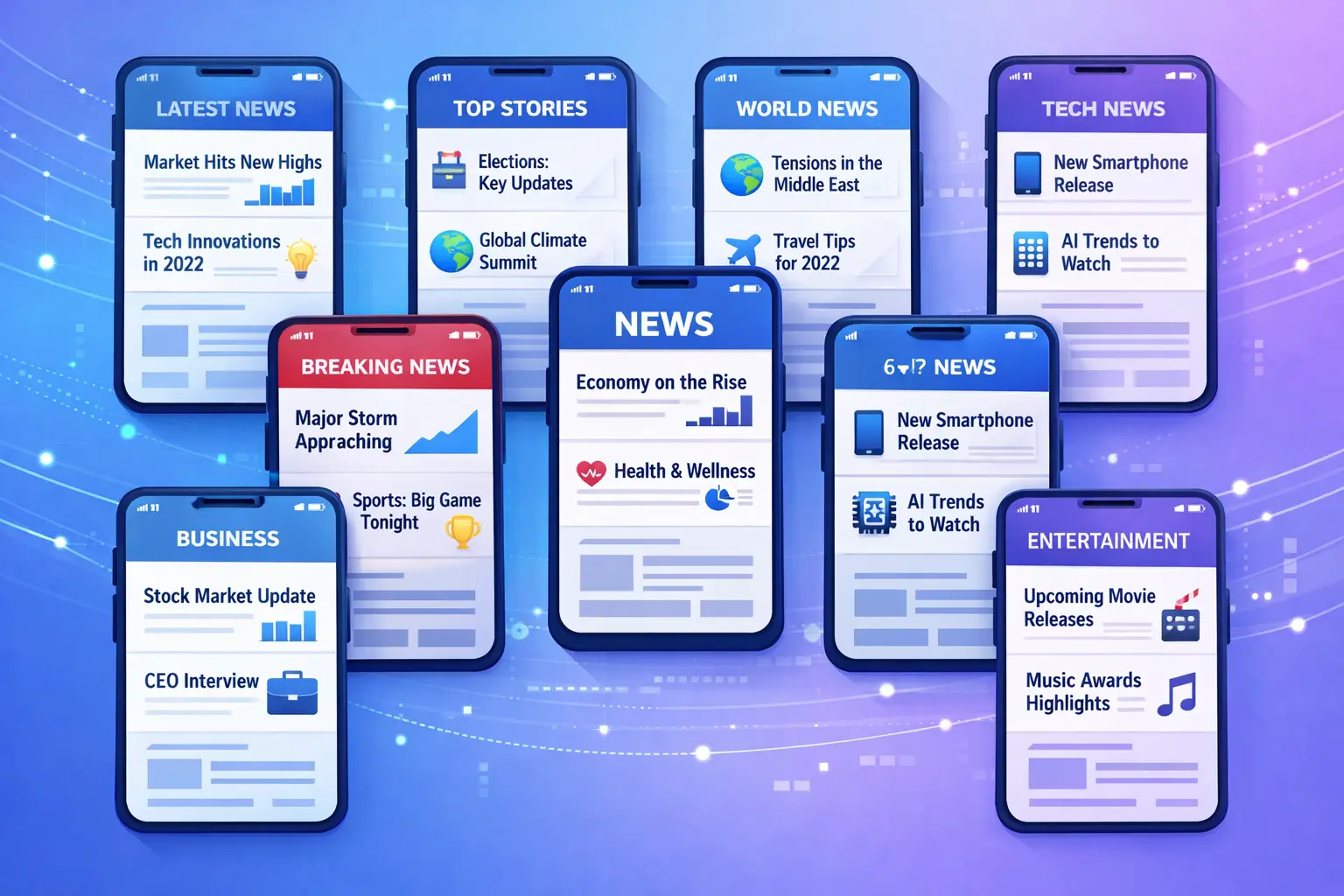
With thousands of news sources publishing content every day, choosing the right best news apps has become essential for staying informed. Whether you're looking for AI-powered summaries, ad-free experiences, platform-specific apps, or comprehensive aggregators, this guide covers the best news apps of 2026.
Quick Answer: The best news apps in 2026 are GeoBarta (60-second AI briefings, ad-free), Google News (free, personalized), Apple News (iOS native), Flipboard (visual), and SmartNews (fast loading). For ad-free options, choose GeoBarta or Apple News+. For customization, use Feedly or Inoreader.
Disclaimer: This guide provides informational comparisons of news apps based on publicly available features, pricing, and general user experiences as of 2026. Feature availability, pricing, and app characteristics may change over time. All comparisons are based on publicly available information and general observations. Individual experiences may vary. This content is provided for informational purposes only and does not constitute professional advice, legal advice, or endorsements. We encourage readers to verify current pricing, features, and terms directly with each app provider before making decisions.
Why Choosing the Right News App Matters in 2026
The news landscape has evolved significantly. In 2026, the best news apps offer:
- AI-powered summarization to save time
- Ad-free or minimal-ad experiences for distraction-free reading
- Cross-platform availability (Android, iOS, Web)
- Geographic organization from global to local news
- Personalization without creating filter bubbles
Types of News Apps in 2026
1. News Aggregators
Apps that collect news from multiple sources into one feed. Examples: GeoBarta, Google News, Apple News, Feedly.
2. Individual News Apps
Apps from specific publishers. Examples: New York Times, BBC News, Reuters, CNN.
3. AI-Powered News Apps
Apps using artificial intelligence to summarize and organize news. Examples: GeoBarta, some features in Google News.
4. Platform-Specific Apps
Apps optimized for specific platforms. Examples: Apple News (iOS/Mac), various Android-first apps.
Best News Apps 2026: Complete Comparison
1. GeoBarta — Best Overall for AI-Powered Briefings
Platforms: Web (iOS & Android apps coming January 2026)
Price: Free (Pro: $4.99/month)
Ads: Completely ad-free
AI Summary: ✅ Yes
Key Features:
- AI-powered 60-second daily briefings
- 4-level geographic organization (Global → Regional → National → Local)
- Multilingual support (English, Hindi, Bengali, Spanish, French on Pro)
- Email digests (Pro)
- 90-day history access (Pro)
- Completely ad-free experience
- No signup required for basic use
Pros:
- Fastest way to stay informed (60-second briefings)
- Unique geographic news organization
- AI summarization from multiple sources
- Privacy-focused (no tracking)
- Free plan available
Cons:
- Mobile apps launching January 2026 (web available now)
- Newer platform (launched 2025)
- Limited to 3 languages currently
Best For: Busy professionals, travelers, anyone who wants efficient news consumption without ads.
Learn More: Read our complete GeoBarta features guide or how to stay informed while traveling.
2. Google News — Best for Comprehensive Coverage
Platforms: Android, iOS, Web
Price: Free
Ads: Minimal (some sponsored content)
AI Summary: ❌ No
Key Features:
- Massive source library (thousands of sources)
- Strong personalization algorithms
- Full Coverage feature for multiple perspectives
- Local news section
- Newsstand for following specific publications
- Free to use
Pros:
- Extensive source coverage
- Excellent personalization
- Full Coverage shows multiple angles
- Available on all platforms
- Strong search functionality
- Free
Cons:
- No AI summarization (full articles only)
- Can be overwhelming
- Data collection for personalization
- Algorithm can create filter bubbles
- Some ads in free version
Best For: News enthusiasts who want comprehensive coverage and don't mind spending more time reading.
3. Apple News — Best for iOS Users
Platforms: iOS, macOS only
Price: Free (Apple News+: $12.99/month)
Ads: Some in free version, ad-free with News+
AI Summary: ❌ No
Key Features:
- Beautiful native iOS/macOS design
- Human editorial curation
- Today tab with top stories
- Following specific topics and publications
- Apple News+ subscription adds magazines and premium content
- Privacy-focused
Pros:
- Polished, native design
- Excellent curation quality
- Strong privacy protections
- Seamless iOS integration
- Magazine content with News+
- Ad-free with subscription
Cons:
- iOS and macOS only (no Android or Windows)
- No AI summarization
- Best features require subscription ($12.99/month)
- Limited international coverage
- More expensive than competitors
Best For: Apple ecosystem users who value design, curation, and are willing to pay for premium content.
4. SmartNews — Best for Breaking News
Platforms: Android, iOS
Price: Free
Ads: Some ads in free version
AI Summary: ❌ No
Key Features:
- Fast breaking news delivery
- Clean, simple interface
- Good local news coverage
- Mobile-first design
- Free to use
Pros:
- Very fast breaking news
- Clean, simple interface
- Good local coverage
- Mobile-optimized
- Free
Cons:
- Mobile only (no desktop)
- No AI summarization
- Content quality may vary by source
- Limited customization
- Ads in free version
Best For: Mobile-first users who prioritize breaking news and want a fast, simple experience.
5. Feedly — Best for RSS Power Users
Platforms: Android, iOS, Web
Price: Free (Pro: $8/month, Pro+: $18/month)
Ads: None
AI Summary: ⚠️ Pro only
Key Features:
- Complete control over sources (RSS feeds)
- Clean reading experience
- Good organization tools
- AI-powered research assistant (Pro)
- Board sharing and collaboration
- Integration with productivity tools
- No algorithms (you choose sources)
Pros:
- Total control over sources
- No algorithmic manipulation
- Excellent for specific topics
- Good for research and work
- Integrates with other tools
- Ad-free
Cons:
- Requires manual source selection
- No automatic discovery
- Can be time-consuming to set up
- Less convenient for general news
- Premium features cost money
Best For: Power users, researchers, professionals who want total control over their news sources.
Related: Learn more about why RSS feeds still matter in 2026.
6. Flipboard — Best for Visual Browsing
Platforms: Android, iOS, Web
Price: Free
Ads: Some ads in free version
AI Summary: ❌ No
Key Features:
- Magazine-style layout
- Easy social sharing
- Custom magazines feature
- Topic-based organization
- Social following and curation
- Beautiful visual design
- Available on all platforms
Pros:
- Beautiful, magazine-style interface
- Great for visual browsing
- Social features and sharing
- Custom magazine creation
- Good topic curation
- Free
Cons:
- No AI summarization
- Performance may vary by device and connection
- Ads in free version
- Less focus on breaking news
- More time-consuming than briefings
Best For: Visual learners, people who enjoy browsing, content curators, social news sharing.
7. Ground News — Best for Media Bias Awareness
Platforms: Android, iOS, Web
Price: Free (Pro: $9.99/year, Premium: $29.99/year)
Ads: None
AI Summary: ❌ No
Key Features:
- Media bias ratings
- Blindspot feature (stories only covered by one side)
- Comparison of coverage across outlets
- Factuality ratings
- Perspective diversity
- Ad-free experience
Pros:
- Unique bias awareness features
- Helps avoid filter bubbles
- Educational about media
- Ad-free
- Factuality ratings
- Shows multiple perspectives
Cons:
- Free tier is limited
- Can be overwhelming
- Requires more reading time
- Premium features cost money
- Less convenient for quick briefings
Best For: People concerned about media bias, those who want multiple perspectives, news literacy enthusiasts.
8. Reuters — Best for Unbiased Reporting
Platforms: Android, iOS, Web
Price: Free
Ads: Minimal
AI Summary: ❌ No
Key Features:
- Breaking news alerts
- Video content
- Market data
- Global coverage
- Trusted, unbiased source
- Professional journalism
Pros:
- Trusted, unbiased source
- Minimal ads
- Fast breaking news
- Professional journalism
- Global coverage
- Free
Cons:
- Less personalization
- Can feel dry
- Limited local news
- No summarization
- No geographic organization
Best For: People who prioritize accuracy, objectivity, and professional journalism over personalization.
9. BBC News — Best for International Coverage
Platforms: Android, iOS, Web
Price: Free
Ads: Some ads
AI Summary: ❌ No
Key Features:
- Excellent international coverage
- Video and audio content
- Live streaming
- Regional editions
- Trusted source
- Free
Pros:
- Strong international coverage
- High-quality journalism
- Video and audio options
- Regional customization
- Trusted brand
- Free
Cons:
- UK-focused in some areas
- Some ads
- No AI summarization
- Can be overwhelming
- Limited personalization
Best For: People who want quality international news coverage from a trusted source.
10. New York Times — Best for In-Depth Journalism
Platforms: Android, iOS, Web
Price: Subscription required ($17/month digital)
Ads: Ad-free with subscription
AI Summary: ❌ No
Key Features:
- Award-winning journalism
- In-depth reporting
- Opinion section
- Cooking and lifestyle content
- Crossword puzzles
- Podcasts
Pros:
- High-quality journalism
- In-depth reporting
- Ad-free with subscription
- Additional content (cooking, games)
- Trusted source
Cons:
- Requires subscription ($17/month)
- US-focused
- No AI summarization
- Can be expensive
- Limited free content
Best For: People who value in-depth journalism and are willing to pay for premium content.
Best News Apps by Category
Best AI-Powered News Apps
- GeoBarta — Best overall AI summarization
- Google News — AI personalization (no summaries)
- Feedly — AI research assistant (Pro only)
Best Ad-Free News Apps
- GeoBarta — Completely ad-free (Free and Pro)
- Ground News — Ad-free (all tiers)
- Feedly — Ad-free (all tiers)
- Apple News+ — Ad-free with subscription
- New York Times — Ad-free with subscription
Best News Apps for Android
- Google News — Native Android experience
- SmartNews — Android-optimized
- GeoBarta — Mobile web (native app coming)
- Feedly — Excellent Android app
- Flipboard — Great Android experience
Best News Apps for iOS
- Apple News — Native iOS experience
- GeoBarta — Mobile web (native app coming)
- Feedly — Excellent iOS app
- Flipboard — Great iOS experience
- SmartNews — iOS-optimized
Best Free News Apps
- GeoBarta — Free plan available
- Google News — Completely free
- SmartNews — Free
- Flipboard — Free
- Reuters — Free
- BBC News — Free
Best News Apps for Quick Briefings
- GeoBarta — 60-second briefings
- SmartNews — Quick updates
- Google News — Personalized feed
Comparison Table: Best News Apps 2026
How to Choose the Right News App for You
Consider Your Time Constraints
Less Than 5 Minutes Per Day:
- ✅ GeoBarta (60-second briefings)
- ✅ SmartNews (quick updates)
- ❌ Google News (requires more time)
- ❌ Feedly (manual curation takes time)
5-15 Minutes Per Day:
- ✅ Google News
- ✅ Apple News
- ✅ Ground News
15+ Minutes Per Day:
- ✅ Any app works
- ✅ Feedly for deep research
- ✅ Google News for comprehensive reading
- ✅ New York Times for in-depth journalism
Consider Your Priorities
Speed and Efficiency:
- Best Choice: GeoBarta
- AI summaries save time
- 60-second briefings
Source Diversity:
- Best Choice: Google News or Feedly
- Google News: Automatic, massive sources
- Feedly: You choose all sources
Ad-Free Experience:
- Best Choice: GeoBarta, Ground News, or Feedly
- All offer completely ad-free experiences
- GeoBarta: Free and Pro
- Ground News: All tiers
- Feedly: All tiers
Geographic Organization:
- Best Choice: GeoBarta
- Unique 4-level organization
- Global → Regional → National → Local
Privacy:
- Best Choice: Apple News or GeoBarta
- Both privacy-focused
- Minimal tracking
Breaking News:
- Best Choice: SmartNews or Google News
- Fast delivery
- Real-time updates
Platform-Specific:
- iOS: Apple News (best native experience)
- Android: Google News or SmartNews
- Cross-Platform: GeoBarta, Feedly, Flipboard
Consider Your Budget
Free Options:
- GeoBarta (Free plan)
- Google News
- Apple News (Free tier)
- SmartNews
- Reuters
- BBC News
Premium Worth It:
- GeoBarta Pro ($4.99/month) — Best value for features
- Feedly Pro ($8/month) — For power users
- Apple News+ ($12.99/month) — For magazine content
- New York Times ($17/month) — For premium journalism
Specialized Use Cases
For Business Travelers
Recommended: GeoBarta Pro
- Geographic organization for local + home news
- Email digests for scheduled reading
- Multilingual support
- Time-efficient briefings
Learn More: How to Stay Informed While Traveling
For Students
Recommended: GeoBarta Free or Google News
- Quick briefings fit busy schedules
- Free options available
- Multiple sources for research
For News Enthusiasts
Recommended: Google News or Feedly
- Comprehensive coverage
- Deep article reading
- Source diversity
- Customization options
For Privacy-Conscious Users
Recommended: GeoBarta or Apple News
- Minimal tracking
- Privacy-focused
- Clear data policies
- User control
For Android Users
Recommended: Google News, SmartNews, or GeoBarta
- Native Android experience
- Optimized for Android
- Good performance
For iOS Users
Recommended: Apple News or GeoBarta
- Native iOS experience
- Seamless integration
- Beautiful design
The Future of News Apps (2026 and Beyond)
Emerging Trends
1. AI Summarization Becomes Standard
- More apps offering AI summaries
- Better accuracy and context
- Faster news consumption
2. Geographic Intelligence
- Location-aware news organization
- Hyperlocal news integration
- Travel-friendly features
3. Multilingual Support
- Real-time translation
- Native language support
- Cross-cultural news access
4. Ad-Free Models
- More apps going ad-free
- Subscription-based models
- Privacy-first approaches
Common Questions About News Apps
Q: Are news apps free?
A: Many offer free plans (GeoBarta, Google News, Apple News, SmartNews, Flipboard). Premium features typically cost $5-15/month.
Q: Which news app is most accurate?
A: Accuracy depends on source quality. Apps that pull from reputable sources (AP, Reuters, major newspapers) are most accurate. AI summarization accuracy varies by system and configuration, with some systems reporting high accuracy rates when properly configured.
Q: Can I use multiple news apps?
A: Yes, but it can lead to information overload. Most people benefit from choosing one primary app and supplementing with specialized sources.
Q: Do news apps create filter bubbles?
A: Some can, but good apps (like GeoBarta) aggregate from diverse sources and expose you to multiple perspectives, reducing filter bubbles.
Q: Are AI-powered apps better than traditional ones?
A: They serve different purposes. AI apps excel at speed and efficiency (60-second briefings). Traditional apps excel at depth and control. The best choice depends on your needs.
Q: Which app is best for Android?
A: Google News offers the best native Android experience. SmartNews and GeoBarta (web) also work well on Android.
Q: Which app is best for iPhone?
A: Apple News offers the best native iOS experience. GeoBarta (web) and Feedly also work well on iOS.
Q: Are there completely ad-free news apps?
A: Yes! GeoBarta (Free and Pro), Ground News (all tiers), and Feedly (all tiers) offer completely ad-free experiences.
Our Top Recommendations for 2026
Best Overall: GeoBarta
Why: Unique combination of AI summarization, geographic organization, and time efficiency. Free plan available, Pro plan offers excellent value at $4.99/month.
Best For: Most people who want efficient, comprehensive news consumption.
Best for Depth: Google News
Why: Massive source library, excellent personalization, Full Coverage feature for multiple perspectives.
Best For: News enthusiasts who want comprehensive coverage and don't mind spending more time reading.
Best for iOS Users: Apple News
Why: Beautiful design, excellent curation, seamless iOS integration, privacy-focused.
Best For: Apple ecosystem users who value design and curation.
Best for Android Users: Google News
Why: Native Android experience, excellent integration, comprehensive coverage.
Best For: Android users who want the best native experience.
Best for Ad-Free: GeoBarta
Why: Completely ad-free on both Free and Pro plans, no tracking, privacy-focused.
Best For: Anyone who wants a distraction-free news experience.
Best Value: GeoBarta Pro
Why: $4.99/month for unlimited briefings, all geographic levels, multilingual support, email digests, and ad-free experience.
Best For: Regular news consumers who want premium features at an affordable price.
Getting Started with Your News App
Step 1: Try Free Plans First
Most apps offer free plans. Try a few to see which interface and approach you prefer:
- GeoBarta (Free: 1 briefing/day)
- Google News (Free, unlimited)
- Apple News (Free tier)
- SmartNews (Free)
Step 2: Evaluate After One Week
Questions to Ask:
- Am I staying informed?
- Is it saving me time?
- Do I like the interface?
- Are the sources reliable?
- Is it sustainable long-term?
Step 3: Consider Upgrading
If you find yourself using an app daily and want more features, consider upgrading:
- GeoBarta Pro: $4.99/month
- Feedly Pro: $8/month
- Apple News+: $12.99/month
Step 4: Build a Routine
- Set designated reading times
- Enable email digests if available
- Customize notifications
Learn More: How to Build a Daily News Briefing Routine
The Bottom Line
The best news app for you depends on your priorities: time constraints, reading preferences, platform, and budget. In 2026, AI-powered apps like GeoBarta offer unprecedented efficiency with 60-second briefings, while traditional apps like Google News offer comprehensive coverage for those who want depth.
For most people: GeoBarta provides the best balance of speed, comprehensiveness, and features, with a free plan to get started and an affordable Pro plan for power users.
For news enthusiasts: Google News offers the most comprehensive coverage and source diversity.
For Apple users: Apple News provides the best native experience with excellent curation.
For Android users: Google News offers the best native Android experience.
For ad-free seekers: GeoBarta, Ground News, and Feedly all offer completely ad-free experiences.
The key is finding an app that fits your lifestyle and helps you stay informed without overwhelming you. Try a few options, evaluate after a week, and choose the one that makes news consumption sustainable and enjoyable.
Ready to find your perfect news app? Start with GeoBarta's free plan and experience AI-powered 60-second briefings. No signup required.
Want to learn more? Explore our guides on AI news summarization, daily news briefings, and staying informed while traveling.
Questions about news apps? Reach out to us at hello@geobarta.com—we're here to help you find the perfect news solution.
Try GeoBarta Free
Get your AI-powered daily news summary in 60 seconds. No signup required.
Start Your Free BriefingContinue Reading
Comparisons · 15 min read
Unbiased News Apps 2026: Comparing Source Diversity, Neutrality & Editorial Standards
Looking for unbiased news apps? Compare the top neutral news aggregators of 2026 based on source diversity, editorial transparency, and fact-checking practices. Find ad-free, balanced news sources for iOS and Android.
Comparisons · 14 min read
GeoBarta vs Apple News: Which News App is Right for You in 2026?
Comparing GeoBarta and Apple News side-by-side. Discover the key differences in features, pricing, content, and user experience to find the perfect news app for your needs in 2026.
Comparisons · 10 min read
Best News Aggregator Apps 2026: Complete Comparison & Review Guide
Compare the best news aggregator apps of 2026 including GeoBarta, Google News, Apple News, Feedly, and more. Find the perfect news aggregator app for your needs with our comprehensive comparison guide and reviews.