Best News Widgets & Home Screen Tools in 2026: Stay Informed at a Glance
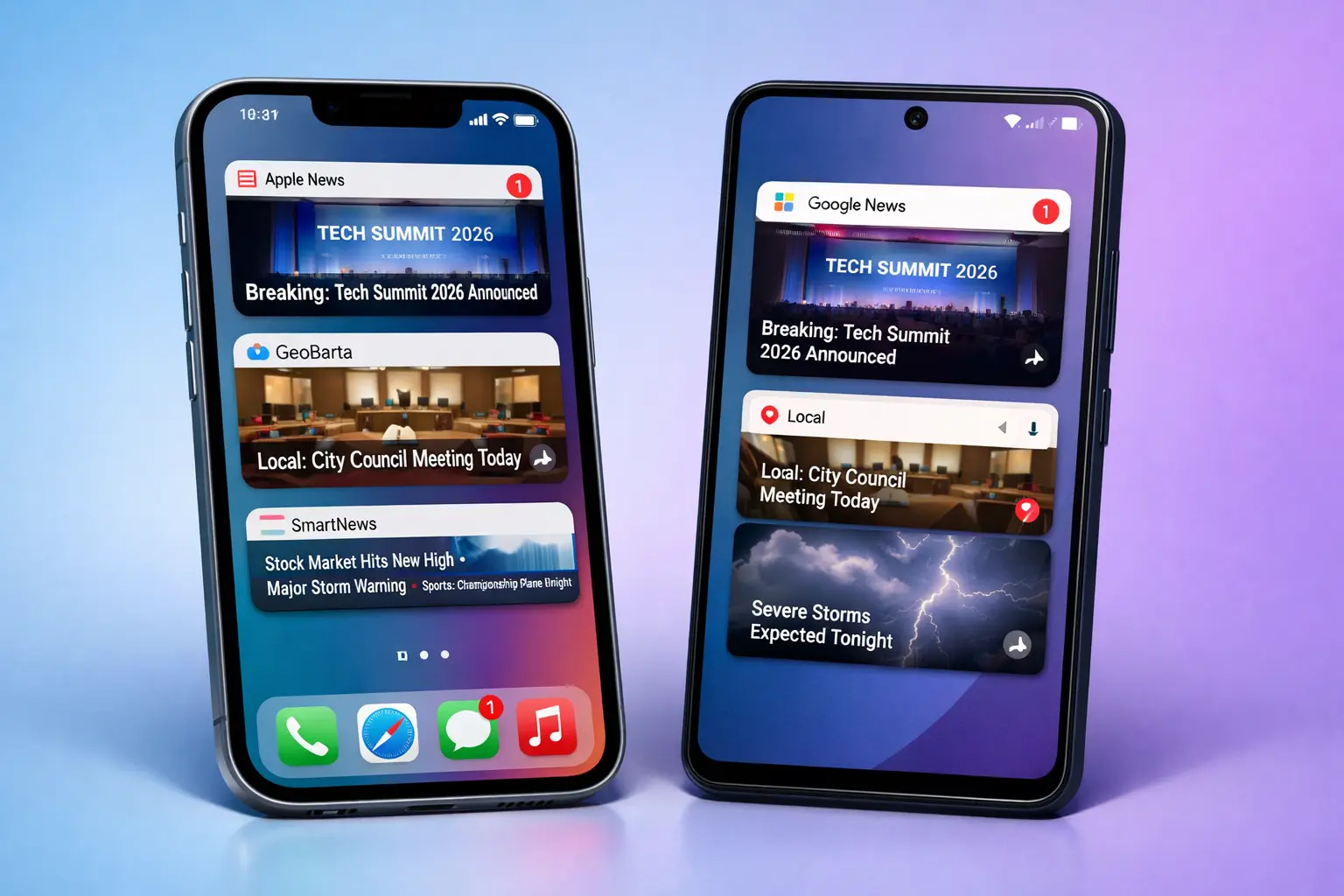
In 2026, your phone's home screen is the new front page. With notifications overwhelming and full apps taking precious seconds to load, news widgets have become essential for staying informed without disruption.
These glanceable tools deliver headlines, summaries, or breaking alerts right on your home or lock screen—saving time and reducing doomscrolling. Whether you're looking for iOS news widgets, Android home screen tools, or privacy-focused solutions, this guide compares the best options available.
Quick Answer: For geographic-personalized quick views, GeoBarta's upcoming home screen widgets offer the best balance of speed and relevance. For comprehensive feeds, Google News widgets remain unbeatable on Android. For iOS users, Apple News provides seamless ecosystem integration.
Table of Contents
- Why News Widgets Matter in 2026
- Complete Comparison Table
- Detailed Tool Reviews
- Best News Widgets by Category
- How to Choose & Set Up News Widgets
- iOS vs Android: Widget Differences
- Tips for Effective Widget Use
- The Future of Home Screen News
- Why GeoBarta Widgets Stand Out
- Frequently Asked Questions
Why News Widgets Matter in 2026
The Glance Economy
Key Stats (2026 Trends):
- Average phone unlock: 150+ times per day
- 70% of users check home/lock screen first after unlocking
- Traditional app opens take 8–15 seconds → widgets reduce to <2 seconds
- Widgets cut daily news friction by up to 40% for busy professionals
News widgets solve the "app fatigue" problem by bringing information to you passively.
Benefits of Home Screen News Tools
1. Instant Access
Headlines, summaries, or maps without tapping.
2. Reduced Distractions
No feeds, no ads in most widgets—just essentials.
3. Personalization at Glance
Location-aware, topic-filtered, or AI-prioritized content.
4. Battery & Data Friendly
Lightweight refreshes vs. constant app polling.
Complete Comparison Table
Detailed Tool Reviews
1. GeoBarta – Best for Geographic Glanceable Briefings (Upcoming)
What It Offers:
Home screen widgets featuring 60-second AI briefings in card form, mini geographic map previews, and headline tickers—organized by your 4-level structure (Global → Regional → National → Local).
Key Widget Features:
- ✅ Compact briefing card (key points + source count)
- ✅ Interactive mini-map widget
- ✅ Customizable size (small/medium/large)
- ✅ Breaking news badge overlay
- ✅ Privacy-first (minimal data sync)
Pricing: Free
Best For: Users wanting local relevance without opening apps; commuters; privacy-focused readers.
Limitations: Mobile apps and widgets rolling out Q1 2026—currently web preview available.
Our Take: GeoBarta turns your home screen into a personalized news dashboard with unmatched geographic intelligence.
2. Google News – Best for Android Native Integration
What It Offers:
Dynamic widgets showing For You headlines, top stories carousel, or single large story preview.
Key Widget Features:
- ✅ AI-personalized feed
- ✅ Multiple sizes & styles
- ✅ Lock screen complications
- ✅ Breaking alerts integration
Pricing: Free
Best For: Android users in the Google ecosystem.
Limitations: Can prioritize sensational/top stories; some ad influence.
3. Apple News – Best for iOS Ecosystem Polish
What It Offers:
Elegant widgets with story highlights, Today feed previews, and watch complications.
Key Widget Features:
- ✅ Beautiful typography & images
- ✅ Deep Apple integration (Siri, Focus modes)
- ✅ Premium content teasers
Pricing: Free (News+ for full access)
Best For: iPhone/iPad users wanting seamless design.
Limitations: Limited to Apple devices; paywall for depth.
4. SmartNews – Best for Fast Breaking News Glances
What It Offers:
Scrolling headline widgets and channel-specific previews with strong local emphasis.
Key Widget Features:
- ✅ Auto-scrolling stories
- ✅ Offline caching
- ✅ Quick-launch to full app
- ✅ Local news channels
- ✅ Breaking news badges
Pricing: Free
Best For: Users needing instant breaking updates.
Limitations: Ads in some views; less personalization depth.
Our Take: SmartNews excels at delivering breaking news quickly, but ads can interrupt the glance experience.
5. Feedly – Best for Custom RSS-Based Widgets
What It Offers:
Customizable feed previews powered by RSS with Leo AI assistant for intelligent filtering.
Key Widget Features:
- ✅ Custom source selection
- ✅ Leo AI summary previews
- ✅ Multiple feed widgets
- ✅ Priority filtering
- ✅ Team collaboration features
Pricing: Free / Pro ($6-12/month)
Best For: Power users, researchers, professionals who curate specific sources.
Limitations: Requires setup; no native geographic focus; learning curve.
Our Take: Feedly is powerful for professionals who need control over sources, but overkill for casual news consumption.
6. Flipboard – Best for Visual Magazine-Style Widgets
What It Offers:
Beautifully designed magazine-style widgets with topic-based carousels.
Key Widget Features:
- ✅ Magazine-quality visuals
- ✅ Topic carousels
- ✅ Curated collections
- ✅ Social integration
- ✅ Flip animation
Pricing: Free
Best For: Visual learners, discovery-focused readers, design enthusiasts.
Limitations: More magazine than quick news; slower loading; less focused on breaking news.
Our Take: Flipboard prioritizes beautiful presentation over speed—great for leisurely browsing, not quick updates.
7. Microsoft Start – Best for Windows Ecosystem Integration
What It Offers:
AI-curated news feed tiles integrated across Windows, Edge browser, and mobile apps.
Key Widget Features:
- ✅ Weather + news combo
- ✅ Microsoft ecosystem sync
- ✅ Edge browser integration
- ✅ Personalized feed
- ✅ Sports and finance widgets
Pricing: Free
Best For: Windows users, Microsoft 365 subscribers, Edge browser users.
Limitations: Less focused on pure news; requires Microsoft account; limited customization.
Our Take: Solid for Microsoft users but not specialized in news widgets like dedicated news apps.
Best News Widgets by Category
🏆 Best Overall: GeoBarta (Upcoming)
Why: Unique 4-level geographic structure + AI curation + privacy-first + completely free.
💰 Best Free Options
Winners: GeoBarta / Google News
Why: Both offer full features without paywalls. GeoBarta adds privacy; Google adds breadth.
🌍 Best for Local News
Winners: GeoBarta / SmartNews
Why: GeoBarta's 4-level structure makes local news effortless. SmartNews has strong local channels.
📱 Best iOS Experience
Winner: Apple News
Why: Seamless ecosystem integration, beautiful design, Siri support, Focus mode compatibility.
🤖 Best Android Native
Winner: Google News
Why: Deep Android integration, Material Design, lock screen support, Google Assistant.
🔒 Best for Privacy
Winner: GeoBarta
Why: Minimal data collection, no tracking, no ads, transparent privacy policy.
⚡ Best for Speed
Winner: SmartNews
Why: Auto-scrolling widgets, offline caching, instant breaking news updates.
🧠 Best Customizable
Winner: Feedly
Why: RSS-based custom feeds, Leo AI filtering, multiple source control.
🎨 Best Visual Design
Winner: Flipboard
Why: Magazine-quality presentation, beautiful typography, curated collections.
🔔 Best for Breaking News
Winner: SmartNews / Google News
Why: Real-time alerts, breaking news badges, instant updates.
How to Choose & Set Up News Widgets
Decision Framework:
- Platform?
iOS → Apple News or upcoming GeoBarta
Android → Google News or GeoBarta
- Primary Need?
Local/Global mix → GeoBarta
Broad coverage → Google News
Visual/magazine → Flipboard
- Time Budget?
<10 sec glances → Widgets only (GeoBarta/Google)
Deeper reads → Pair with full app
Quick Setup Tips:
For iOS:
- Long-press home screen until icons jiggle
- Tap "+" button (top left)
- Search for app name (e.g., "Apple News" or "GeoBarta")
- Choose widget size (Small/Medium/Large)
- Tap "Add Widget"
- Customize location/topics in app settings
For Android:
- Long-press home screen empty space
- Tap "Widgets" from menu
- Scroll to find app (e.g., "Google News")
- Drag widget to desired location
- Resize by dragging corners
- Tap widget to configure preferences
Pro Tips:
- Start with one widget, add more as needed
- Place most important widget at top of home screen
- Use widget stacks (iOS) to save space
- Enable location services for local news
- Customize refresh frequency in app settings
iOS vs Android: Widget Differences
iOS Widget Advantages
- Widget Stacks: Stack multiple widgets in one space, swipe to switch
- Smart Stack: iOS auto-rotates widgets based on time/location/usage
- Lock Screen Widgets: iOS 16+ supports lock screen news widgets
- Focus Mode Integration: Different widgets for Work/Personal/Sleep modes
- Complications: Apple Watch face integration
Android Widget Advantages
- Resizable: Freely resize widgets to any dimension
- Interactive: More widgets support direct interaction (tap headlines)
- Material You: Widgets adapt to system theme colors
- More Placement Options: Lock screen, always-on display, home screen
- Third-Party Launchers: Nova, Action Launcher offer advanced widget features
Which Platform is Better for News Widgets?
iOS wins for:
- Ecosystem polish and design consistency
- Smart Stack intelligence
- Privacy controls
Android wins for:
- Customization flexibility
- Interactive widgets
- More placement options
Verdict: Both platforms offer excellent news widget experiences. Choose based on your device ecosystem.
Tips for Effective Widget Use
Best Practices
- ✅ Limit to 2–3 widgets to avoid clutter
- ✅ Use location services for relevant local news
- ✅ Combine with Focus modes (less during work)
- ✅ Refresh manually for battery savings
Pitfalls to Avoid
- ❌ Too many → visual overload
- ❌ Ignoring diversity → filter bubble
- ❌ Relying solely on widgets → miss context (tap for full stories)
The Future of Home Screen News
2026–2027 Trends
- Interactive widgets (tap headlines → mini-summary)
- AI-adaptive sizing & content
- Lock screen dominance
- AR previews in widgets
- Cross-device sync (phone ↔ watch ↔ car)
Widgets will evolve from static to proactive intelligence hubs.
Why GeoBarta Widgets Stand Out
Unique Advantages
- 4-level geographic intelligence right on your home screen—no other tool matches this for local relevance.
- Designed for 60-second mindset: compact, focused, no fluff.
- Completely free with no ads or heavy tracking.
- Built for privacy from day one.
- Seamless tie-in with core AI briefings.
Compared to Others:
Google overwhelms; Apple locks you in; SmartNews adds ads. GeoBarta keeps it clean, relevant, and effortless.
Frequently Asked Questions
Are news widgets battery drainers?
Short answer: No, modern widgets are highly efficient.
Details: Most news widgets refresh every 15-60 minutes, not continuously. GeoBarta, Google News, and Apple News use optimized background refresh that minimizes battery impact. To save more battery:
- Reduce refresh frequency in app settings
- Use smaller widget sizes (less data to load)
- Disable location services if not needed
- Avoid auto-scrolling widgets (SmartNews)
Battery Impact Ranking (Low to High):
- Static headline widgets (lowest impact)
- GeoBarta briefing cards
- Google News/Apple News standard widgets
- Auto-scrolling widgets (SmartNews)
- Interactive/animated widgets (highest impact)
Can widgets show full articles?
No—widgets are designed for glances, not full reading.
Widgets display:
- Headlines (10-60 characters)
- Brief summaries (1-2 sentences)
- Images/thumbnails
- Source attribution
To read full articles, tap the widget to open the app. This design prevents information overload and respects screen space.
Which news widget is most private?
GeoBarta is the most privacy-focused option.
Privacy Ranking (Most to Least Private):
- GeoBarta – Minimal data collection, no tracking, no ads
- Feedly – RSS-based (you control sources), limited tracking
- Apple News – Apple's privacy policies, on-device processing
- SmartNews – Moderate tracking for personalization
- Flipboard – Social features require more data
- Google News – Extensive tracking for personalization (Google ecosystem)
- Microsoft Start – Microsoft account required, ecosystem tracking
Privacy Tips:
- Review app privacy labels in App Store/Play Store
- Disable personalization if privacy is critical
- Use widgets that don't require accounts (GeoBarta)
- Check privacy settings in each app
Do news widgets work offline?
Yes, most widgets cache the last refresh.
Offline Capabilities:
- SmartNews: Excellent offline caching, downloads articles
- GeoBarta (upcoming): Caches last briefing for offline viewing
- Apple News: Limited offline (News+ subscribers get better offline)
- Google News: Caches headlines, limited article access
- Feedly: Depends on Pro subscription
- Flipboard: Caches recent content
Best for Offline: SmartNews and GeoBarta (when launched) offer the best offline widget experiences.
How often do news widgets refresh?
Refresh frequency varies by app and platform:
- Google News: Every 15-30 minutes (configurable)
- Apple News: Every 30-60 minutes
- SmartNews: Every 15 minutes (breaking news: instant)
- GeoBarta (upcoming): Real-time for breaking news, hourly for briefings
- Feedly: Customizable (15 min to 24 hours)
- Flipboard: Every 30-60 minutes
iOS Limitation: iOS controls background refresh more strictly than Android. Widgets may not update if app hasn't been opened recently.
Android Advantage: More flexible refresh scheduling and instant updates.
Can I have multiple news widgets on one screen?
Yes, but use wisely to avoid clutter.
Best Practices:
- 1-2 widgets: Optimal for most users
- 3-4 widgets: Power users with specific needs (local + global + breaking)
- 5+ widgets: Not recommended (information overload)
Smart Combinations:
- GeoBarta (local/global briefing) + Google News (breaking alerts)
- Apple News (general) + SmartNews (breaking)
- Feedly (custom sources) + GeoBarta (quick overview)
iOS Widget Stacks: Use Smart Stack to rotate multiple widgets in one space.
Are news widgets free?
Most are free, some have premium features:
Completely Free:
- GeoBarta (all features)
- Google News (all features)
- SmartNews (with ads)
- Flipboard (all features)
- Microsoft Start (all features)
Freemium (Free with Paid Options):
- Apple News (free tier available, News+ $12.99/month for premium)
- Feedly (free tier limited, Pro $6-12/month)
Best Value: GeoBarta and Google News offer full features completely free.
Which news widget uses least data?
Data usage ranking (Lowest to Highest):
- Text-only widgets (GeoBarta briefing cards, headline lists)
- Small widgets with minimal images
- Medium widgets with thumbnails
- Large widgets with full images (Flipboard, Apple News)
- Auto-scrolling widgets (SmartNews)
Data-Saving Tips:
- Choose smaller widget sizes
- Disable image loading in widget settings
- Use text-only widgets (GeoBarta, headline tickers)
- Reduce refresh frequency
- Connect to Wi-Fi for initial setup
Best for Limited Data: GeoBarta briefing cards (text-focused, minimal images).
Can I customize what news appears in widgets?
Yes, customization varies by app:
High Customization:
- Feedly: Full control (choose exact RSS feeds)
- GeoBarta: Choose geographic levels + topics
- Google News: Follow topics, sources, locations
- Apple News: Follow channels, topics, publications
Medium Customization:
- SmartNews: Choose channels (local, sports, tech, etc.)
- Flipboard: Select topics and magazines
- Microsoft Start: Choose interests
Low Customization:
- Some widgets show only "top stories" with limited control
Most Flexible: Feedly (RSS control) and GeoBarta (geographic + topic filtering).
Conclusion: Make Your Home Screen Work for You
In 2026, the best news isn't buried in apps—it's on your home screen.
- Quick local/global glances → GeoBarta widgets (coming soon)
- Broad Android coverage → Google News
- Polished iOS → Apple News
- Custom power → Feedly
Our Recommendation: Prepare for GeoBarta's Q1 2026 mobile launch—its geographic widgets will redefine glanceable news. Until then, try Google News or Apple News widgets and sign up for GeoBarta web briefings.
Stay informed smarter, not harder.
Try GeoBarta Today
Experience AI-powered geographic news briefings on the web now—home screen widgets coming with mobile apps Q1 2026.
Get Started:
- Web: geobarta.com
- Email: hello@geobarta.com
- Contact: geobarta.com/en/contact
Follow for Launch Updates:
- Twitter/X: @geobarta
- Instagram: @geobarta
- LinkedIn: GeoBarta
Last updated: February 6, 2026
Disclaimer: This comparison is based on publicly available information, app store listings, and official announcements as of February 2026. Features (especially upcoming ones like GeoBarta widgets) and availability may change. GeoBarta is not affiliated with Google, Apple, SmartNews, Feedly, Flipboard, or Microsoft. All opinions are those of the GeoBarta Team based on analysis and intended use cases. Product names and trademarks belong to their respective owners.
Try GeoBarta Free
Get your AI-powered daily news summary in 60 seconds. No signup required.
Start Your Free BriefingContinue Reading
Technology · 10 min read
How GeoBarta Builds Your Perfect 60-Second Daily Briefing (Behind the Scenes)
Ever wonder how GeoBarta delivers comprehensive news from 1,100+ sources in just 60 seconds? Go behind the scenes to discover our 4-layer system, AI-powered summarization, and how we process 25,000-35,000 articles daily to bring you the news that matters.
Technology · 14 min read
AI News Summary 2026: Get Your Daily AI-Generated News Briefing
Discover how AI news summaries deliver comprehensive news in 60 seconds. Compare the best AI news summary tools, learn how they work, and get free AI-generated news briefings in multiple languages.
Technology · 12 min read
How Location-Aware AI is Going to Change News Consumption in 2026–2027
Discover how location-aware AI is transforming news from generic global feeds to hyper-personalized, multilingual briefings that understand your context. Explore 2026-2027 predictions for AI-powered news consumption with real-world examples.