Unbiased News Apps 2026: Comparing Source Diversity, Neutrality & Editorial Standards
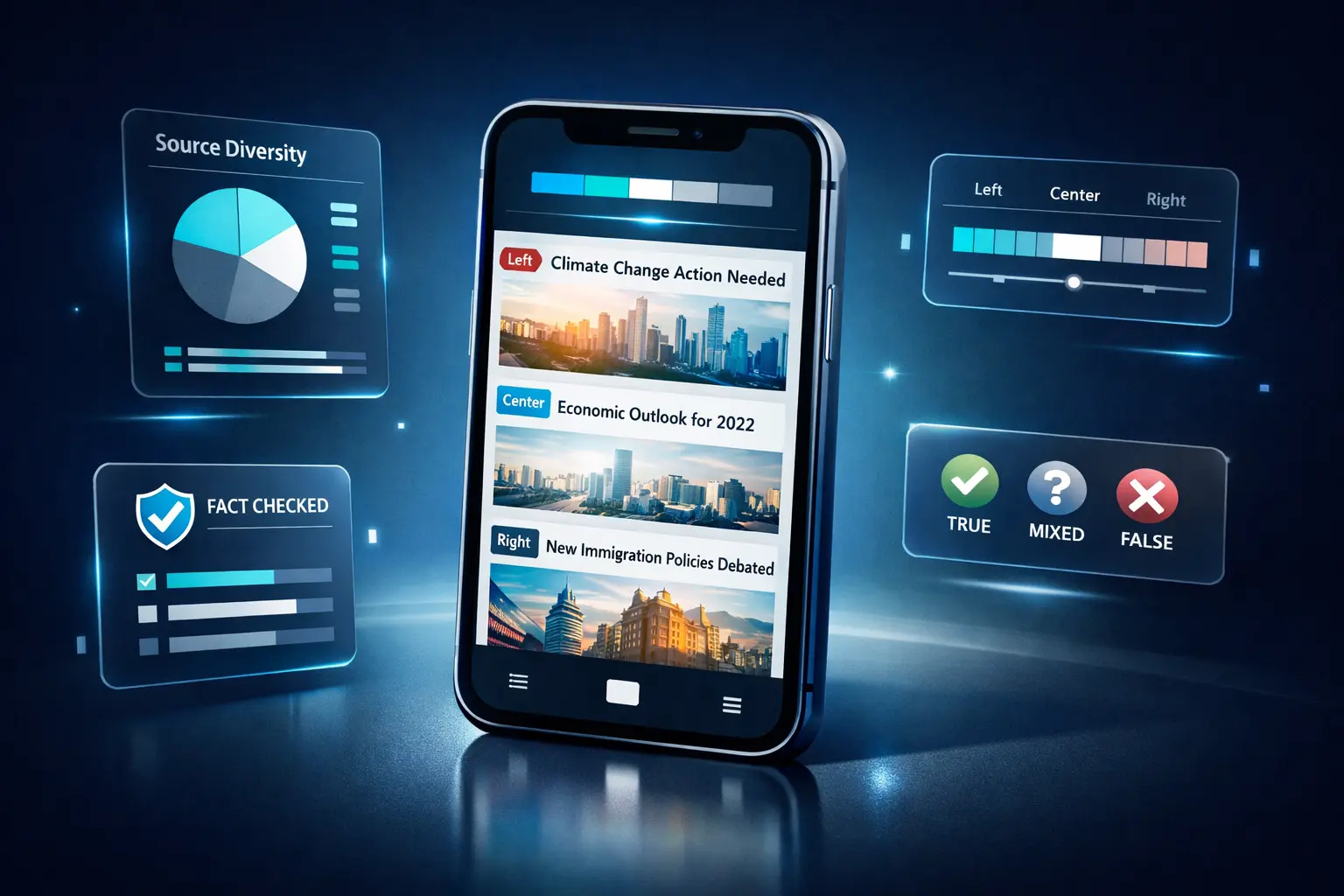
In an era of media polarization and filter bubbles, finding truly unbiased news apps has become essential for informed citizenship. This comprehensive guide compares the leading unbiased news apps of 2026 based on objective criteria including source diversity, editorial transparency, fact-checking practices, and neutrality measures.
Quick Answer: The most unbiased news apps in 2026 are GeoBarta (multi-source AI aggregation), Ground News (bias ratings), AllSides (balanced perspectives), Reuters (fact-based), and AP News (neutral reporting). For maximum neutrality, use apps that aggregate multiple sources and show bias ratings like Ground News or GeoBarta.
Important Note: This guide was created by the GeoBarta team. We've evaluated news apps based on objective, verifiable criteria. Perfect "unbiased" news doesn't exist—all media has some perspective. Instead, we focus on apps that prioritize neutrality, source diversity, and transparency. All comparisons are based on publicly available information as of February 2026.
Table of Contents
- What "Unbiased" Really Means in News Apps
- Our Evaluation Methodology
- Apps Focused on Neutrality & Source Diversity
- Detailed App Comparisons
- Best Apps by Category
- Comparison Tables
- How to Choose Your Unbiased News App
- Tips for Consuming Unbiased News
What "Unbiased" Really Means in News Apps
The Truth About Media Bias
Let's be clear: No news source is 100% unbiased. Every journalist, editor, and publication has perspectives shaped by experience, culture, and values. However, some news apps make genuine efforts to minimize bias through:
- Source diversity — Pulling from left, center, and right-leaning outlets
- Editorial transparency — Clear disclosure of sources and methodology
- Fact-based reporting — Prioritizing verifiable facts over opinion
- Multiple perspectives — Showing how different outlets cover the same story
- Wire service reliance — Using neutral sources like AP and Reuters
- AI aggregation — Algorithmic summarization reducing human editorial bias
What We Look For in "Unbiased" News Apps
When evaluating news apps for neutrality, we examine:
- Number and diversity of sources (more = better balance)
- Editorial methodology (transparent vs. opaque)
- Fact-checking practices (verified vs. unverified)
- Political balance (left/center/right representation)
- User control (can you choose your own sources?)
- Advertising influence (ad-free vs. ad-supported)
- Algorithmic transparency (how are stories selected?)
Our Evaluation Methodology
Objective Criteria Used
To compare news apps fairly, we evaluated each based on these measurable factors:
1. Source Diversity Score
- How many distinct news sources does the app aggregate?
- Are sources from left, center, and right represented?
- Does it include international perspectives?
2. Editorial Transparency
- Does the app explain how stories are selected?
- Are sources clearly cited?
- Is there disclosure of editorial processes?
3. Fact-Checking & Verification
- Does the app prioritize fact-checked sources?
- Are corrections made when errors occur?
- Is there verification methodology?
4. User Control & Customization
- Can users select their own sources?
- Is there control over content filtering?
- Can you avoid algorithmic bubbles?
5. Ad-Free Experience
- Are there ads that might influence content?
- Is there sponsored content mixed with news?
- Does ad-free option exist?
6. Wire Service Integration
- Does it include AP, Reuters, AFP?
- How prominently are neutral sources featured?
Third-Party Bias Ratings
We reference established bias rating organizations:
- AllSides Media Bias Ratings — Rates sources as left, lean left, center, lean right, right
- Ad Fontes Media Bias Chart — Plots reliability vs. bias
- Media Bias/Fact Check — Evaluates factual reporting and bias
Disclaimer
Rankings and assessments in this guide represent our analysis based on publicly available information and objective criteria. Individual experiences may vary. We encourage readers to try multiple apps and form their own conclusions.
Apps Focused on Neutrality & Source Diversity
Overview Comparison Table
Detailed App Comparisons
1. Ground News — Best for Understanding Media Bias
Focus: Transparency about source bias and perspective diversity
Platforms: iOS, Android, Web
Price: Free (limited) / Pro: $9.99/year / Premium: $29.99/year
Ad-Free: Yes (all tiers)
What Makes It Unique for Unbiased News
Ground News doesn't claim to be unbiased—instead, it shows you how biased each source is and lets you compare coverage across the political spectrum.
Key Features:
- Bias ratings for every source (left, lean left, center, lean right, right)
- Factuality scores based on third-party verification
- Blindspot feature — Shows stories only covered by one political side
- Coverage comparison — See how left, center, and right sources frame the same story
- Ownership transparency — Who owns each news source
Source Diversity:
- Aggregates from 60,000+ sources worldwide
- Explicitly balances left, center, and right perspectives
- International sources included
Editorial Approach:
- Uses AllSides and Media Bias/Fact Check ratings
- Transparent methodology
- No editorial selection bias
Pros:
✅ Most transparent about bias
✅ Educational about media literacy
✅ Helps avoid filter bubbles
✅ Ad-free at all price tiers
✅ Shows multiple perspectives side-by-side
Cons:
❌ Free tier very limited (3 stories/day)
❌ Can be overwhelming with information
❌ Requires more time than quick briefings
❌ Premium features cost extra
Best For: News literacy enthusiasts, people concerned about media bias, educators, journalists, anyone wanting to understand how different sides cover stories.
Unbiased Rating: ⭐⭐⭐⭐⭐ (Excellent transparency and balance)
2. GeoBarta — Best for AI-Aggregated Multi-Source Summaries
Focus: Geographic-organized, multi-source AI summaries
Platforms: iOS, Android, Web (apps launching Q1 2026)
Price: Free
Ad-Free: Yes (at launch)
What Makes It Unique for Unbiased News
GeoBarta uses AI to aggregate news from 1,000+ sources across the political spectrum, creating neutral summaries that combine multiple perspectives.
Key Features:
- AI-powered summarization from multiple sources simultaneously
- 4-level geographic organization (Global → Regional → National → Local)
- 60-second briefings for time-efficient consumption
- Multi-source aggregation reduces single-source bias
- No algorithmic personalization bubble (location-based, not interest-based)
Source Diversity:
- 1,000+ news sources globally
- Includes major outlets, local news, international media
- Balanced representation of perspectives
Editorial Approach:
- AI aggregation reduces human editorial bias
- Transparent about AI methodology
- Sources clearly cited for each summary
- No content behind paywalls
Pros:
✅ Completely free with no ads
✅ Multi-source AI summaries reduce bias
✅ Geographic focus includes local news
✅ Time-efficient (60-second briefings)
✅ Cross-platform availability
✅ Privacy-focused (minimal data collection)
Cons:
❌ Mobile apps launching Q1 2026 (web available now)
❌ Newer platform (less established than competitors)
❌ Doesn't explicitly label source bias (focuses on aggregation instead)
Best For: Busy professionals, travelers, people who want balanced summaries without reading multiple sources, privacy-conscious users, multi-platform users.
Unbiased Rating: ⭐⭐⭐⭐½ (Strong multi-source aggregation, but newer platform)
Related: Read our complete GeoBarta features guide or GeoBarta vs Apple News comparison.
3. AllSides — Best for Explicit Bias Labeling
Focus: Side-by-side comparison of left, center, and right coverage
Platforms: Web (mobile site available)
Price: Free / Premium: $7.99/month
Ad-Free: Yes (Premium only)
What Makes It Unique for Unbiased News
AllSides pioneered the "balanced news" approach by explicitly showing how left, center, and right sources cover the same story.
Key Features:
- Balanced News feature with left/center/right side-by-side
- Media Bias Ratings for 1,400+ sources
- Red Blue Dictionary explaining how each side uses language
- Bridging Divides content promoting understanding
- Community feedback on bias ratings
Source Diversity:
- Curates from 1,400+ rated sources
- Explicitly balanced left/center/right representation
- Focuses on U.S. media primarily
Editorial Approach:
- Human curation with community input
- Transparent bias rating methodology
- Clearly labeled perspective for each article
- Educational mission
Pros:
✅ Most explicit about political balance
✅ Educational about media bias
✅ Community-validated ratings
✅ Helps bridge political divides
✅ Transparent methodology
Cons:
❌ Web-only (no native apps)
❌ U.S.-focused (limited international)
❌ Premium features require subscription
❌ Smaller source library than Ground News
Best For: Americans concerned about political polarization, educators, students, people wanting to understand different political perspectives.
Unbiased Rating: ⭐⭐⭐⭐⭐ (Excellent for political balance)
4. Reuters — Best for Wire Service Neutrality
Focus: Professional journalism with minimal bias
Platforms: iOS, Android, Web
Price: Free
Ad-Free: Mostly (minimal ads)
What Makes It Unique for Unbiased News
As a wire service, Reuters adheres to strict journalistic standards focused on factual reporting over opinion or analysis.
Key Features:
- Wire service standards — Fact-based, minimal opinion
- Global coverage from bureaus worldwide
- Breaking news with fast verification
- Business focus with market data
- Video content alongside articles
Source Diversity:
- Single source (Reuters own reporting)
- But: Reuters is used BY hundreds of outlets as neutral source
- International bureaus provide diverse geographic perspectives
Editorial Approach:
- Professional journalism standards
- Fact-checking and verification
- Minimal editorial opinion
- Corrections when errors occur
- Industry-leading trust ratings
Pros:
✅ Consistently rated as highly factual and centered
✅ Professional journalistic standards
✅ Global perspective
✅ Minimal ads
✅ Free to use
✅ Fast breaking news
Cons:
❌ Single source (not aggregator)
❌ Can feel dry/clinical
❌ Limited local news coverage
❌ Less personalization than aggregators
Best For: People who trust professional journalism, those wanting straightforward facts without spin, business professionals, international news followers.
Unbiased Rating: ⭐⭐⭐⭐⭐ (Excellent factual reporting, minimal bias)
Referenced By: Major news organizations worldwide use Reuters as their neutral source.
5. AP News (Associated Press) — Best for Fact-Based Reporting
Focus: Wire service standards with global reach
Platforms: iOS, Android, Web
Price: Free
Ad-Free: Yes (native apps)
What Makes It Unique for Unbiased News
The Associated Press is a nonprofit cooperative owned by news organizations, with editorial independence and strict fact-based reporting standards.
Key Features:
- Nonprofit structure (no corporate ownership bias)
- Global bureaus in 100+ countries
- Fact-checking service used by Facebook and others
- Breaking news alerts
- Clean, ad-free mobile apps
Source Diversity:
- Single source (AP own reporting)
- But: AP is THE primary source for most U.S. news outlets
- 4,000+ journalists worldwide provide diverse perspectives
Editorial Approach:
- Strict editorial guidelines for objectivity
- Fact-based reporting with minimal analysis
- Corrections policy
- Trusted by outlets across political spectrum
- Nonprofit mission over profits
Pros:
✅ Consistently rated as highly factual and centered
✅ Nonprofit structure reduces bias pressure
✅ Used by news outlets of all political leanings
✅ Ad-free mobile experience
✅ Global coverage
✅ Free
Cons:
❌ Single source (not aggregator)
❌ Limited personalization
❌ Less local news focus
❌ Can be dry
Best For: People who want straight facts, users tired of sensationalism, those who trust traditional journalism, reference checking.
Unbiased Rating: ⭐⭐⭐⭐⭐ (Gold standard for factual reporting)
6. Google News — Best for Algorithmic Source Aggregation
Focus: Massive source aggregation with personalization
Platforms: iOS, Android, Web
Price: Free
Ad-Free: No (contains sponsored content)
What Makes It Unique for Unbiased News
Google News aggregates from thousands of sources using algorithms to personalize your feed while attempting to avoid filter bubbles through its "Full Coverage" feature.
Key Features:
- Massive source library (thousands of outlets)
- Full Coverage — See how multiple outlets cover the same story
- Fact Check section highlighting verified content
- Local news section
- Personalization based on reading habits
- Google Search integration
Source Diversity:
- Thousands of sources worldwide
- Includes left, center, and right outlets
- Local news heavily featured
- International perspectives included
Editorial Approach:
- Algorithmic curation (no human editors)
- Attempts to show diverse perspectives via Full Coverage
- Transparent about algorithm goals
- Personalized but shows contrary viewpoints
Pros:
✅ Largest source library of any aggregator
✅ Full Coverage shows multiple perspectives
✅ Fact Check section promotes verified content
✅ Strong local news coverage
✅ Free
✅ Available everywhere
Cons:
❌ Personalization can create filter bubbles
❌ Contains sponsored content (ads)
❌ Algorithm isn't fully transparent
❌ Can be overwhelming
❌ Data collection for personalization
Best For: News enthusiasts who want comprehensive coverage, people who want strong local news, users comfortable with algorithmic curation, those needing cross-platform access.
Unbiased Rating: ⭐⭐⭐⭐ (Strong source diversity, but personalization and ads are concerns)
Related: Compare with other options in our best news apps 2026 guide.
7. Feedly — Best for User-Controlled Sources
Focus: RSS-based aggregation where YOU choose sources
Platforms: iOS, Android, Web
Price: Free / Pro: $8/month / Pro+: $18/month
Ad-Free: Yes
What Makes It Unique for Unbiased News
Feedly gives you complete control—you manually select every source, eliminating algorithmic bias entirely.
Key Features:
- Complete source control (you choose everything)
- RSS feed aggregation from any publisher
- Organization tools (boards, tags, highlights)
- AI research assistant (Pro+)
- No algorithms determining what you see
- Integration with productivity tools
Source Diversity:
- Unlimited—you decide
- Can include left, center, right in any balance you want
- International sources easily added
- Niche publications supported
Editorial Approach:
- Zero editorial curation (you're the editor)
- No algorithmic filtering
- Complete transparency (you see what you subscribed to)
- No influence from ads or sponsors
Pros:
✅ Total control eliminates external bias
✅ Ad-free
✅ Privacy-focused
✅ Supports any RSS source
✅ Powerful organization tools
✅ Great for research and professionals
Cons:
❌ Requires manual setup and curation
❌ Time-consuming to balance sources yourself
❌ No automatic discovery
❌ Premium features cost money
❌ Learning curve
Best For: Power users, researchers, journalists, professionals who want total control, people willing to invest time in curation, privacy advocates.
Unbiased Rating: ⭐⭐⭐⭐½ (Perfect control, but bias responsibility falls on user)
Related: Learn more about why RSS feeds still matter in 2026.
8. SmartNews — Best for Balanced Algorithm Without Personalization
Focus: News aggregation prioritizing popular stories without heavy personalization
Platforms: iOS, Android
Price: Free
Ad-Free: No (contains ads)
What Makes It Unique for Unbiased News
SmartNews uses algorithms to surface trending stories without creating personalization bubbles—everyone sees similar top stories.
Key Features:
- Trending focus (not personalized like Google News)
- Fast loading and offline reading
- Local news channels
- International editions
- Top News channel shows consensus important stories
Source Diversity:
- Aggregates from hundreds of sources
- Balanced representation of major outlets
- Local news included
- International perspectives
Editorial Approach:
- Algorithm focuses on popularity and trends
- Less personalization = less filter bubble
- Transparent about trending methodology
- Multiple source coverage of major stories
Pros:
✅ Less personalization reduces filter bubbles
✅ Fast and clean interface
✅ Strong local news
✅ Free
✅ Offline reading
✅ Good source variety
Cons:
❌ Contains ads
❌ Mobile-only (no desktop)
❌ Less control than Feedly
❌ Algorithm still curates content
❌ No explicit bias ratings
Best For: Mobile users wanting balanced news without heavy personalization, people who want trending consensus news, those who value speed.
Unbiased Rating: ⭐⭐⭐⭐ (Good balance, but ads and algorithm curation present)
9. Flipboard — Best for Visual News Discovery
Focus: Magazine-style aggregation with social curation
Platforms: iOS, Android, Web
Price: Free
Ad-Free: No
What Makes It Unique for Unbiased News
Flipboard combines algorithmic curation with social recommendations, creating custom "magazines" from diverse sources.
Key Features:
- Magazine-style layout
- Topic channels covering various interests
- Social features (follow curators, share magazines)
- Custom magazines you create
- Visual-first presentation
Source Diversity:
- Thousands of sources
- User-curated magazines add diversity
- International sources included
- Mix of mainstream and alternative media
Editorial Approach:
- Mix of algorithmic and human curation
- Social discovery element
- Less explicitly focused on neutrality
- Visual presentation may prioritize engagement
Pros:
✅ Beautiful, engaging interface
✅ Diverse source options
✅ Social discovery of new sources
✅ Free
✅ Custom magazines for personal balance
Cons:
❌ Contains ads
❌ Algorithm and social can create bubbles
❌ No explicit bias ratings
❌ Visual focus may distract from neutrality
❌ Less focused on hard news
Best For: Visual learners, people who enjoy browsing, social news sharers, users wanting engaging presentation, magazine enthusiasts.
Unbiased Rating: ⭐⭐⭐ (Decent source diversity, but not explicitly focused on neutrality)
Best Apps by Category
Best for Explicit Bias Transparency
- Ground News — Shows bias ratings for every source
- AllSides — Side-by-side left/center/right comparison
- Feedly — You control and see every source
Best for Source Diversity
- Ground News — 60,000+ sources
- Google News — Thousands of sources
- GeoBarta — 1,000+ sources with AI aggregation
Best for Wire Service Neutrality
- Reuters — Professional wire service standards
- AP News — Nonprofit fact-based reporting
- BBC News — Public service broadcasting standards
Best Ad-Free Unbiased News Apps
- GeoBarta — Free and ad-free at launch
- AP News — Ad-free mobile apps
- Ground News — Ad-free at all tiers
- Feedly — Ad-free at all tiers
Best for Quick Unbiased Summaries
- GeoBarta — 60-second AI-aggregated briefings
- SmartNews — Fast trending summaries
- Google News — Top Stories at-a-glance
Best for Media Literacy Education
- Ground News — Explicit bias education
- AllSides — Balanced perspectives comparison
- Reuters — Professional journalism standards
Best Free Unbiased News Apps
- GeoBarta — Completely free
- Google News — Free (with ads)
- Reuters — Free (minimal ads)
- AP News — Free
- SmartNews — Free (with ads)
Comparison Tables
Comprehensive Feature Comparison
Neutrality & Balance Comparison
Cost Comparison for Unbiased News
How to Choose Your Unbiased News App
Decision Framework
Step 1: What Type of Balance Do You Want?
- Explicit Bias Transparency (See all sides labeled)
→ Choose: Ground News or AllSides
- Multi-Source Aggregation (Blend perspectives)
→ Choose: GeoBarta or Google News
- Wire Service Neutrality (Professional standards)
→ Choose: Reuters or AP News
- Total Control (You decide all sources)
→ Choose: Feedly
Step 2: How Much Time Do You Have?
- 1-2 minutes daily:
→ Choose: GeoBarta (60-second briefings)
- 5-10 minutes daily:
→ Choose: SmartNews, Google News, or AP News
- 15+ minutes daily:
→ Choose: Ground News, AllSides, or Feedly
Step 3: What's Your Budget?
- Only free options:
→ Choose: GeoBarta, Reuters, AP News, or Google News
- Willing to pay for bias transparency:
→ Choose: Ground News Pro ($9.99/year)
- Want total control and willing to pay:
→ Choose: Feedly Pro ($8/month)
Step 4: What Platform Do You Use?
- iOS only:
→ All options work
- Android only:
→ All except AllSides (web only)
- Desktop/Web:
→ GeoBarta, Ground News, AllSides, Google News, Feedly, Reuters, AP
- Cross-platform:
→ GeoBarta, Ground News, Google News, Feedly
Step 5: How Important is Ad-Free?
- Must be ad-free:
→ Choose: GeoBarta, AP News, Ground News, Feedly, or Reuters
- Don't mind ads:
→ Google News and SmartNews are excellent free options
Recommended Combinations
Best Two-App Combo:
- GeoBarta for daily 60-second briefings (free, balanced, time-efficient)
- Ground News for deep dives when you want to understand bias ($9.99/year)
Best Free Three-App Combo:
- GeoBarta for daily briefings
- Reuters or AP News for wire service facts
- Google News for comprehensive local coverage
Best for Maximum Neutrality:
- Reuters or AP News as primary source (gold standard)
- Ground News to verify and see all perspectives
- GeoBarta for time-efficient daily updates
Tips for Consuming Unbiased News
1. Use Multiple Sources
Even the best single app has limitations. Consider:
- One multi-source aggregator (GeoBarta, Google News)
- One wire service (Reuters, AP)
- One bias-transparency tool (Ground News, AllSides)
2. Read Beyond Headlines
Headlines are designed for clicks, not accuracy. Always read at least the summary or first few paragraphs.
3. Check Source Attribution
Good unbiased apps clearly show where information comes from. If sources aren't cited, be skeptical.
4. Understand the Difference Between News and Opinion
- News: What happened (facts)
- Analysis: What it means (expert interpretation)
- Opinion: What someone thinks (editorial)
Unbiased apps clearly label these distinctions.
5. Be Aware of Your Own Biases
Even with unbiased apps, we all have confirmation bias—we notice and remember information that confirms what we already believe.
Strategy: Actively seek out and read perspectives you disagree with.
6. Verify Important Claims
For critical information:
- Check wire services (Reuters, AP)
- Look for original sources (court documents, studies, official statements)
- Use fact-checking sites (Snopes, PolitiFact, FactCheck.org)
7. Avoid Social Media as Primary News Source
Social media algorithms optimize for engagement, not truth. Use dedicated news apps instead.
8. Set Time Limits
Even unbiased news can become overwhelming. Set designated times:
- Morning: 5-minute briefing
- Midday: Quick check only if needed
- Evening: 5-minute review
9. Focus on Local News Too
National political news gets attention, but local news often has more direct impact on your life. Apps like GeoBarta (with dedicated local level) and Google News excel here.
10. Teach Others About Media Literacy
Share tools like Ground News and AllSides with friends and family to promote balanced news consumption.
Common Questions About Unbiased News Apps
Q: Is any news app truly 100% unbiased?
A: No. All media has some perspective, even wire services. However, apps like Ground News, Reuters, AP News, and GeoBarta make genuine efforts to minimize bias through transparency, source diversity, and professional standards.
Q: Which news app has the most sources?
A: Ground News aggregates from 60,000+ sources (most), followed by Google News (thousands), then GeoBarta (1,000+).
Q: What's better: one neutral source or multiple diverse sources?
A: Both approaches have merit:
- One neutral source (Reuters, AP) = Consistent standards, easier to trust
- Multiple sources (GeoBarta, Ground News) = More perspectives, fuller picture
Ideally, use both.
Q: Do free unbiased news apps exist?
A: Yes! GeoBarta, Reuters, AP News, and Google News all offer substantial free access. Ground News and AllSides have limited free tiers.
Q: How do I avoid filter bubbles?
A:
- Use apps that show multiple perspectives (Ground News, AllSides)
- Use multi-source aggregators (GeoBarta, Google News)
- Avoid heavy personalization
- Actively read sources you disagree with
- Use wire services (Reuters, AP)
Q: Which unbiased news app is best for quick daily updates?
A: GeoBarta offers 60-second briefings that aggregate from multiple sources, making it the fastest unbiased option. SmartNews and Google News are also quick.
Q: Are wire services more reliable than aggregators?
A: Wire services (Reuters, AP) have gold-standard factual accuracy but provide a single perspective. Aggregators (GeoBarta, Ground News) combine multiple sources but depend on source quality. Use both.
Q: What's the best unbiased news app for Android?
A: For Android specifically:
- GeoBarta (web now, app Q1 2026) — Free, balanced, AI-aggregated
- Google News — Native Android, comprehensive
- AP News — Clean, ad-free
- Ground News — Explicit bias ratings
Q: What's the best unbiased news app for iPhone?
A: For iOS specifically:
- GeoBarta (web now, app Q1 2026) — Free, balanced, AI-aggregated
- Ground News — Best for seeing all perspectives
- AP News — Clean wire service
- Reuters — Professional journalism
Q: How much should I pay for unbiased news?
A: You can get excellent unbiased news free (GeoBarta, Reuters, AP). If you want premium features:
- Ground News Pro: $9.99/year (excellent value for bias transparency)
- Feedly Pro: $8/month (if you want total control)
- AllSides Premium: $7.99/month (for U.S. political balance)
Q: Which app is best for understanding media bias?
A: Ground News and AllSides are explicitly designed to show media bias and help you understand it. They're educational tools as much as news apps.
Final Recommendations
Best Overall Unbiased News App: GeoBarta
Why: Combines multi-source aggregation with AI neutrality, completely free, ad-free, works across all platforms, and delivers efficient 60-second briefings.
Who It's For: Most people wanting balanced news without time commitment or cost.
Best for Bias Transparency: Ground News
Why: Shows explicit bias ratings for every source and lets you compare left, center, and right coverage side-by-side.
Who It's For: People who want to understand media bias and see all perspectives.
Best Wire Service: Reuters or AP News (Tie)
Why: Both maintain gold-standard professional journalism with minimal bias and strong fact-checking.
Who It's For: People who want straightforward facts from trusted sources.
Best for Control: Feedly
Why: You choose every source, eliminating algorithmic and editorial bias entirely.
Who It's For: Power users, researchers, journalists who want total control.
Best Free Option: GeoBarta
Why: Completely free with all features, no ads, multi-source aggregation for balance.
Who It's For: Budget-conscious users who don't want to sacrifice quality.
Getting Started with Unbiased News
Step 1: Try Free Options First
Start with these free apps:
- GeoBarta — Quick daily briefings
- Reuters or AP News — Wire service facts
- Google News — Comprehensive coverage
Step 2: Add Bias Transparency (Optional)
After a week, consider adding:
- Ground News (free tier or $9.99/year Pro)
- AllSides (free with ads)
Step 3: Build Your Routine
- Morning: GeoBarta 60-second briefing (1 minute)
- Midday: Optional check of Reuters or AP for breaking news (2 minutes)
- Evening: Ground News deep dive on important stories (5-10 minutes)
Step 4: Evaluate After Two Weeks
Questions to ask:
- Am I getting multiple perspectives?
- Do I feel informed without feeling overwhelmed?
- Am I seeing sources from across the political spectrum?
- Is my news consumption sustainable long-term?
The Bottom Line
Finding truly unbiased news requires understanding that perfect neutrality doesn't exist. Instead, focus on apps that:
✅ Aggregate from diverse sources
✅ Show transparent methodology
✅ Provide user control
✅ Minimize advertising influence
✅ Include wire services
✅ Offer bias transparency
For most people, we recommend starting with GeoBarta for daily briefings (free, balanced, time-efficient) and adding Ground News when you want to dive deeper into how different perspectives cover important stories.
For maximum neutrality, use a combination:
- GeoBarta (multi-source aggregation)
- Reuters or AP News (wire service standards)
- Ground News (bias transparency)
The key is finding a sustainable routine that keeps you informed without creating echo chambers or consuming all your time.
Try GeoBarta for Unbiased News
Ready to experience multi-source, AI-aggregated news briefings? GeoBarta combines 1,000+ sources into neutral 60-second briefings organized by geographic relevance.
Get Started:
- Email: hello@geobarta.com
- Website: geobarta.com
- Contact: geobarta.com/en/contact
Follow for Updates:
Related Guides:
- Best News Apps 2026: Complete Comparison
- Best News Aggregator Apps 2026
- GeoBarta vs Apple News: Which is Right for You?
- How to Verify News Sources and Spot Misinformation
- The Balanced News: Finding Unbiased Sources in 2026
- AI vs Human News Curation: Which is More Unbiased?
Last updated: February 3, 2026
Disclaimer: This guide was created by the GeoBarta team based on publicly available information about news apps as of February 2026. We've used objective criteria to evaluate neutrality and bias, including source diversity, editorial transparency, and fact-checking practices. "Unbiased" is a goal rather than an absolute—all media has some perspective. Individual experiences may vary. Features, pricing, and app characteristics may change. This content is provided for informational purposes only and does not constitute professional advice. We encourage readers to try multiple apps and form their own conclusions about which best meets their needs. All app names and trademarks belong to their respective owners. GeoBarta is not affiliated with any other apps mentioned in this guide.
Try GeoBarta Free
Get your AI-powered daily news summary in 60 seconds. No signup required.
Start Your Free BriefingContinue Reading
Comparisons · 12 min read
Best News Apps 2026: Complete Guide to Staying Informed
Discover the best news apps of 2026 for Android, iOS, and web. Compare features, pricing, and find the perfect news app for your needs—from AI-powered aggregators to ad-free options and platform-specific apps.
Comparisons · 10 min read
Best News Aggregator Apps 2026: Complete Comparison & Review Guide
Compare the best news aggregator apps of 2026 including GeoBarta, Google News, Apple News, Feedly, and more. Find the perfect news aggregator app for your needs with our comprehensive comparison guide and reviews.
Comparisons · 8 min read
Best Free News Apps Without Ads in 2025: Complete Comparison
Tired of ads interrupting your news? Discover the best free news apps that offer an ad-free or minimal-ad experience. Compare features, platforms, and find your perfect news app.